68
PC Controller Setting
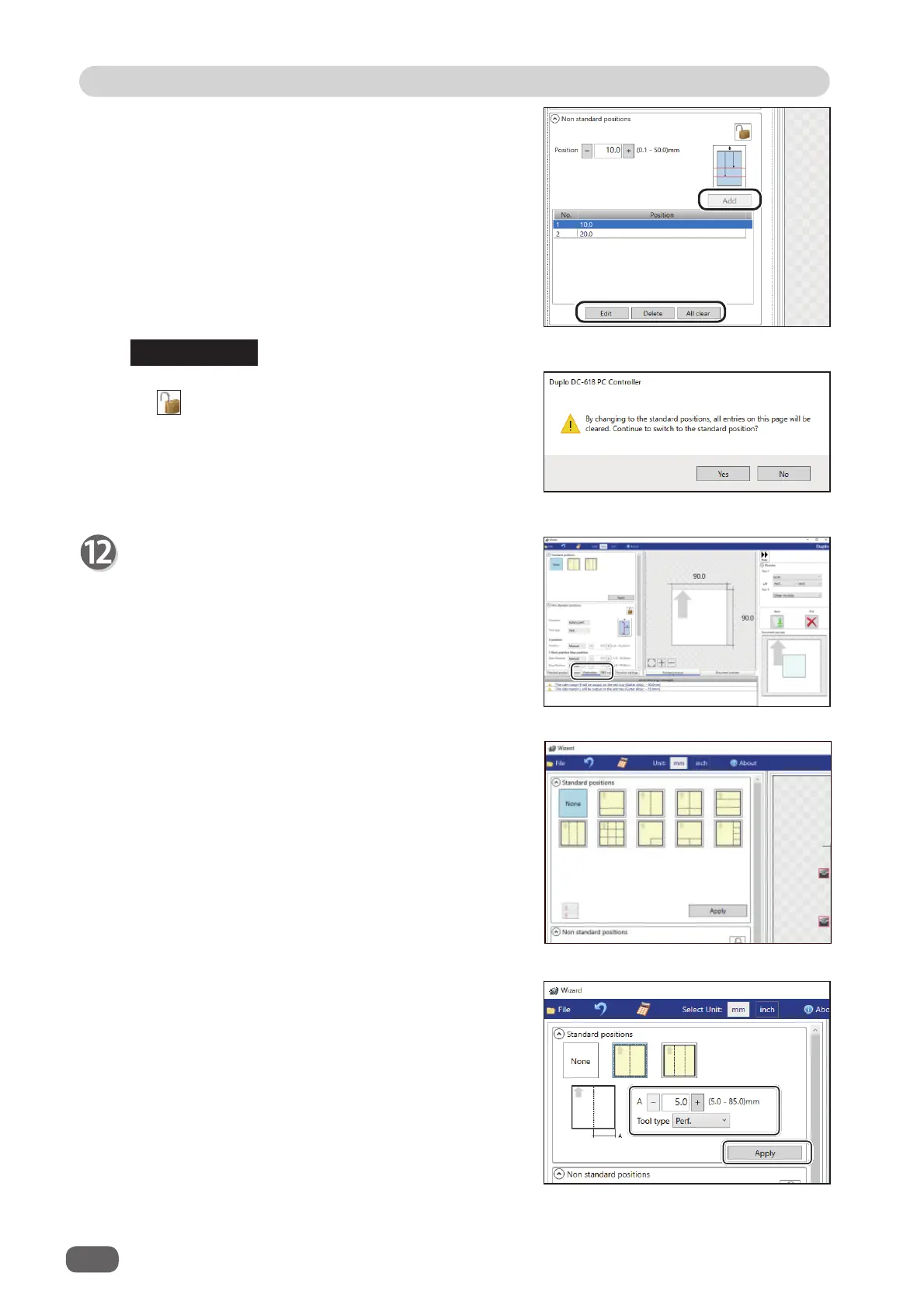
Non standard positions
:
Add
: Adds a crease to a designated position.
The added crease position is displayed on the
list below.
* A crease position is set according to a fi nished
product size.
Edit
: Enables you to change a selected crease
position on the list.
Delete
: Deletes a selected crease position.
All clear
: Deletes all of the crease positions on the
list.
If you have entered a value for a crease and click
the icon, the message as shown on the right
appears.
Click
Yes
to switch the entry mode to
Standard
positions
, which deletes all the entered crease
positions in the
Non standard positions
.
Perforation
Set perforation positions:
Click the
Perforation
tab.
REFERENCE
•
Lengthwise
Perforates a document lengthwise.
Standard positions
: Select a pattern to process.
Click
Apply
. Perforation
positions are automatically set.
1. Enter
a value for at which perforation position the
rotary tool processes with the NUMERIC keys or
by clicking
+
or
-
.



 To Next Page