70
PC Controller Setting
•
Widthwise even
Perforates a document widthwise.
This is available when
CPM (Cross Tool Module)
is available. For the details, see Chapter 4
Programming a JOB on a Computer - Wizard in the
DC-618 CPM Instruction Manual.
•
Crosswise
Perforates a document crosswise.
This is available when both of
RTM (Rotary Tool
Module)
and
CPM (Cross Tool Module)
are
available.
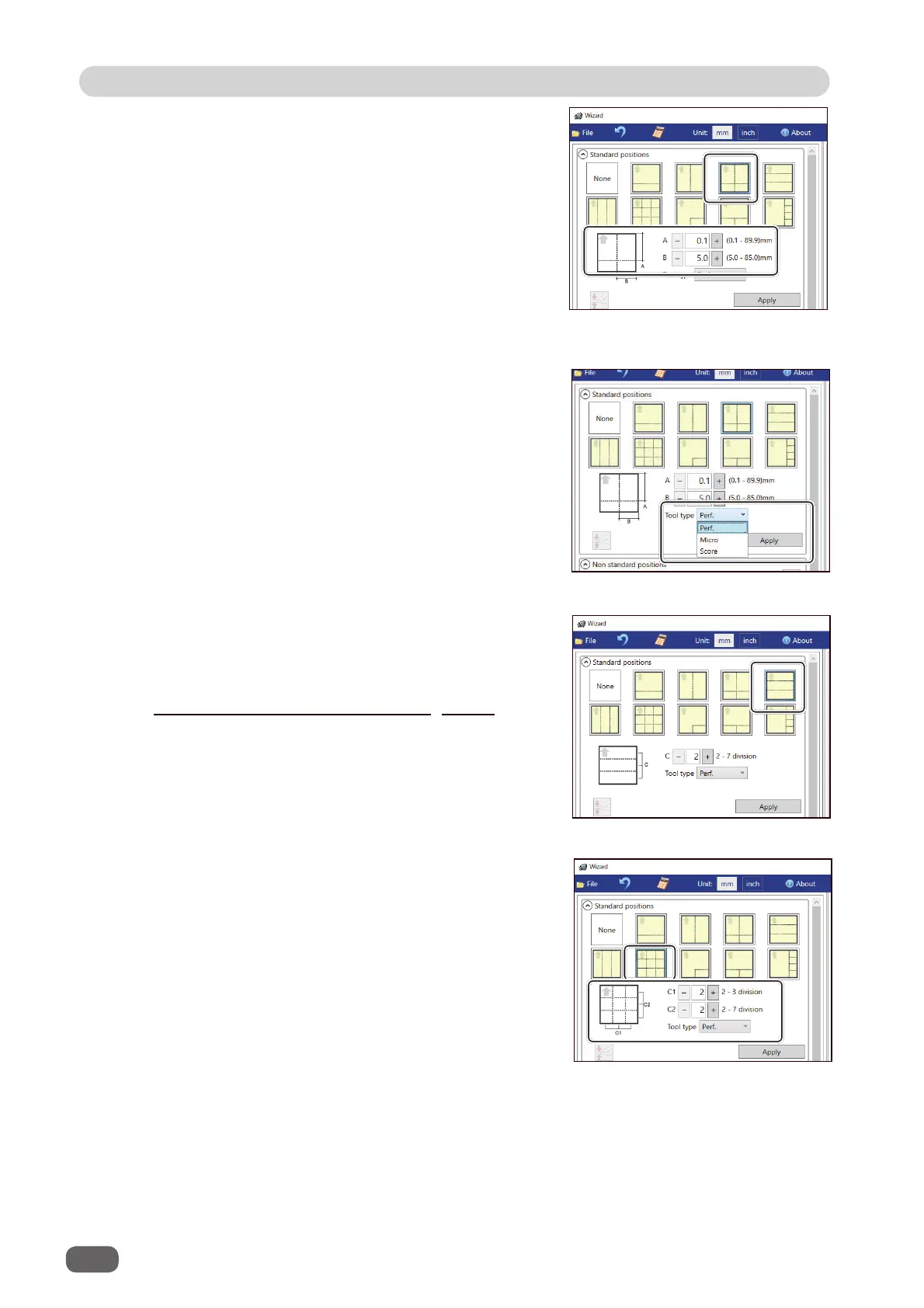
2. Click the
Tool type
box and select a rotary tool
out of
Perf. (perforation tool)
,
Micro (micro
perforation tool)
, and
Score (score tool)
.
Click
Apply
.
1. Enter values of the distance between the
lead edge of the fi nished product and the
processing start position of the rotary tool for
A
and the distance between the right edge and
the processing position of the rotary tool for
B
with the NUMERIC keys or by clicking
+
or
-
.
1. Enter the number of cards widthwise for
C1
and that lengthwise for
C2
with the NUMERIC
keys or by clicking
+
or
-
.
•
Crosswise even
Perforates a document crosswise evenly.
This is available only when both of
RTM (Rotary
Tool Module)
and
CPM (Cross Tool Module)
are
available.



 To Next Page