2
71
PC Controller Setting
4
Programming a JOB on a Computer
•
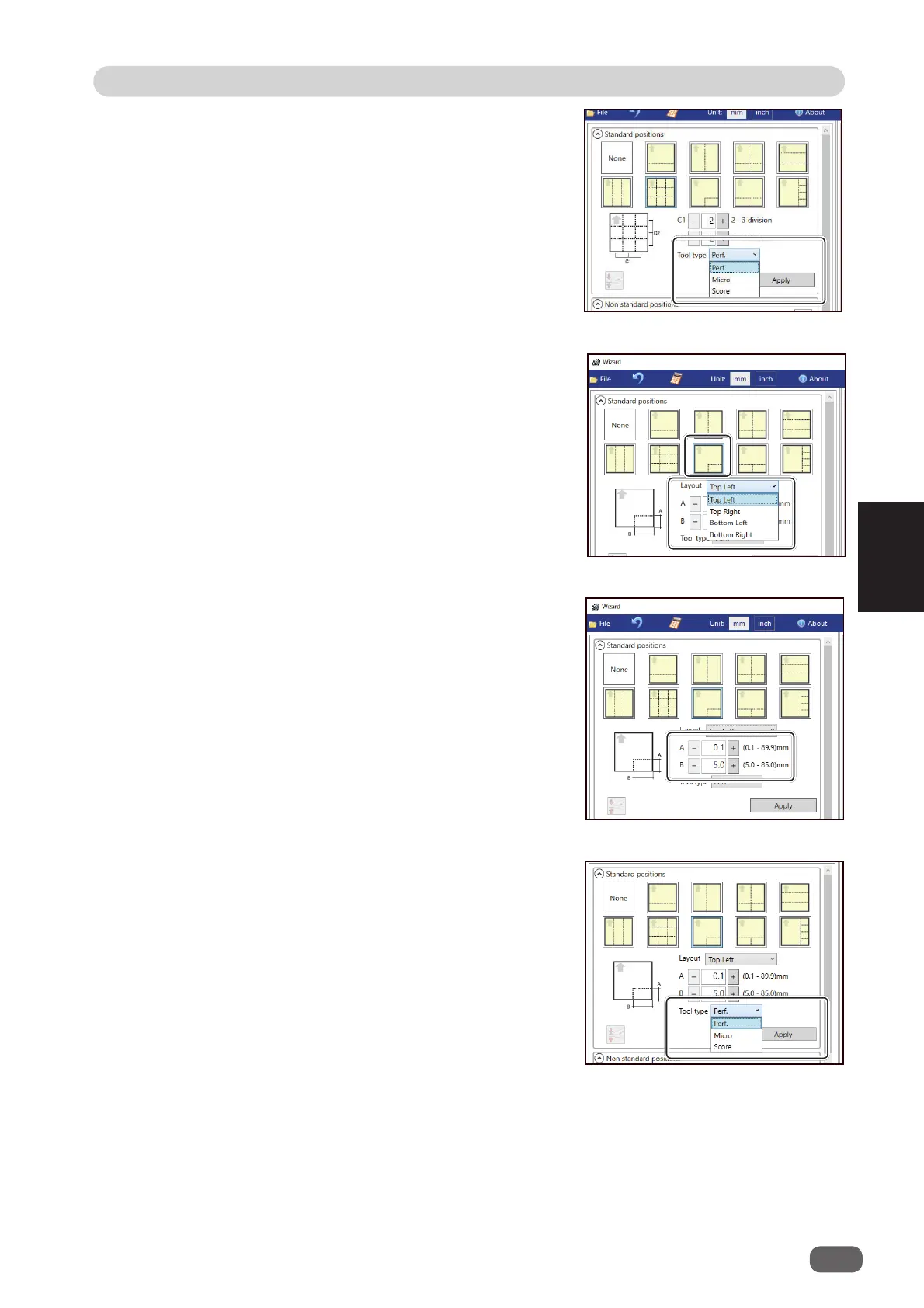
L angle
Perforates a document in a L-shape so that a
card is made at a corner.
This is available only when both of
RTM (Rotary
Tool Module)
and
CPM (Cross Tool Module)
are available.
1. Click the
Layout
box and select at which
position the document is processed out of
Top
Left
,
Top Right
,
Bottom Left
, and
Bottom
Right
.
2. Enter values of the length of the fi nished
product for
A
and the width of the fi nished
product for
B
with the NUMERIC keys or by
clicking
+
or
-
.
3. Click the
Tool type
box and select a rotary tool
out of
Perf. (perforation tool)
,
Micro (micro
perforation tool)
, and
Score (score tool)
.
Click
Apply
.
2. Click the
Tool type
box and select a rotary tool
out of
Perf. (perforation tool)
,
Micro (micro
perforation tool)
, and
Score (score tool)
.
Click
Apply
.



 To Next Page