2
81
PC Controller Setting
4
Programming a JOB on a Computer
Modules
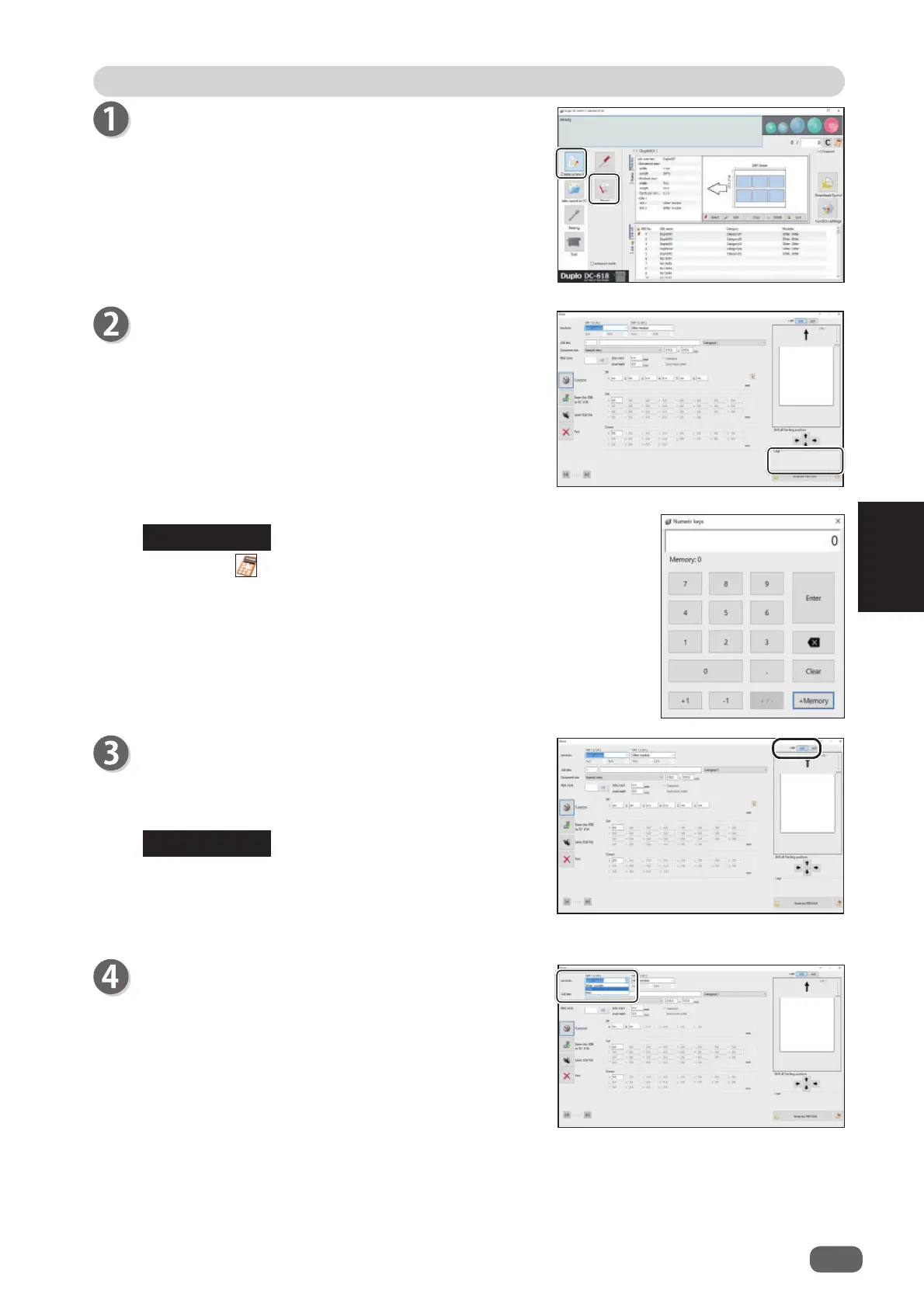
1. Select a module to install in the
slot 2
from the
Slot
2 [L/R
] box.
Standard module
Slitter module
RTM (Rotary Tool Module)
Click
Create a new job
and then
Direct
on the main
screen.
Select Unit
Select a unit of values to enter out of
mm
or
inch
.
If you select
inch
, values entered in inches are
converted to ones in mm and displayed.
Values that you entered before selecting the unit are
not converted to the other unit.
Select either unit and then make settings for the JOB.
The
Direct
screen appears.
The value limit appears on the lower right side of the
screen.
Refer to it when programming a JOB.
Clicking the icon displays the NUMERIC keys, with
which you can enter numerical values instead of using
a keyboard.
REFERENCE
REFERENCE



 To Next Page