88
PC Controller Setting
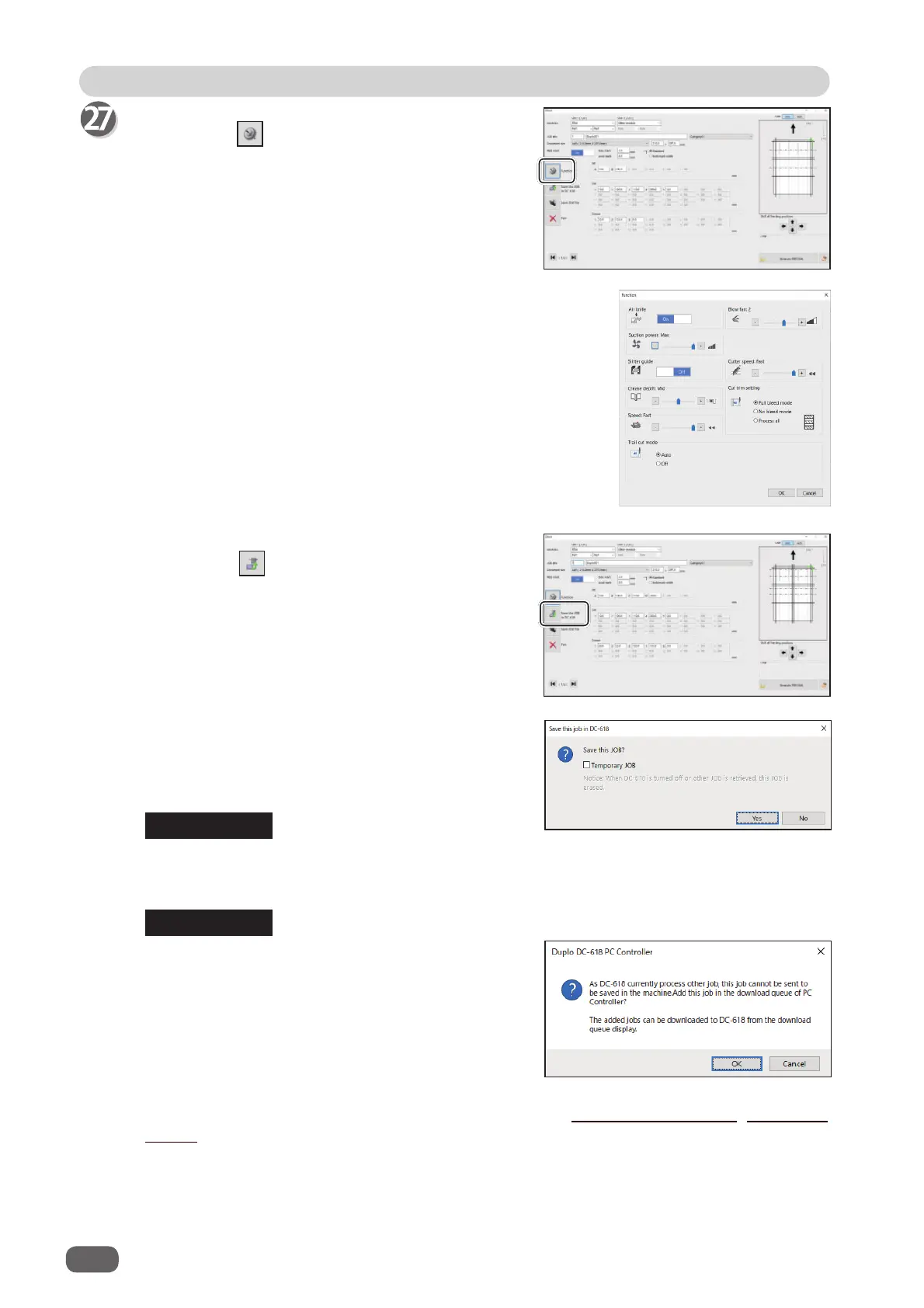
1. The function settings for the JOB are displayed.
Check the settings and click
OK
.
Clicking
Cancel
returns to the previous screen without
changing the settings.
●Saving a JOB in the DC-618
1. Click the
Save this JOB in DC-618
icon.
2. The message as shown on the right appears.
Click
Yes
to save the JOB in the DC-618.
Clicking
No
returns to the previous screen
without saving it.
To save the JOB temporarily, select the
Temporary JOB
check box.
If the DC-618 is turned
OFF
or another JOB is selected, the JOB temporarily saved is
deleted.
●
Function
Clicking the
Function
icon displays the function
settings for the selected JOB.
If you save a JOB while the DC-618 is operating,
the message as shown on the right appears.
Clicking
OK
saves the JOB in
Download Queue
.
Clicking
Cancel
returns to the previous screen
without saving it.
REFERENCE
REFERENCE
For the procedure for
Download Queue
, see Chapter 5 PC Controller Setting - Job Detail
Viewer in the DC-618 PC Controller Instruction Manual.



 To Next Page