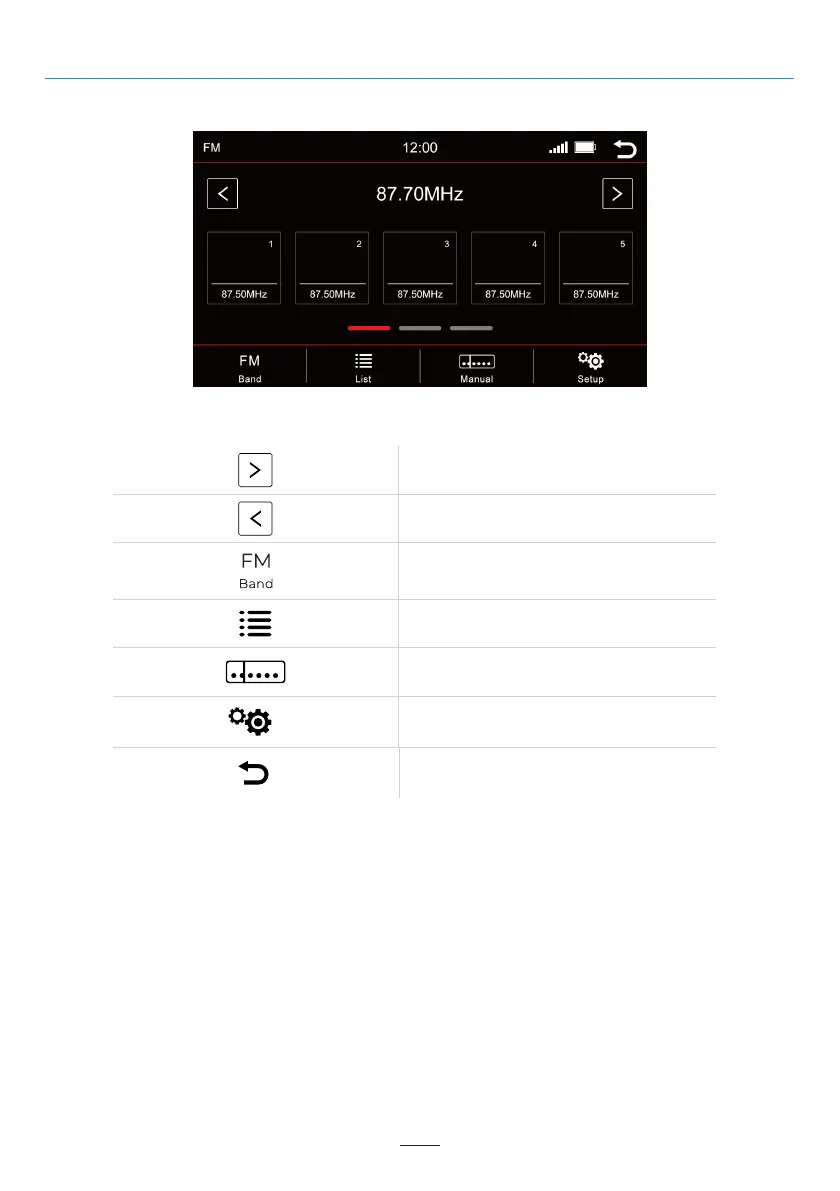
Radio Menu
To open the radio menu press the “Radio” button in the main menu
Select previous available station
Station list
Manual frequency search
Setup
Back to the main menu
Select next available station
Memory - Switch pages
5 memory locations are displayed per page. To switch to another page, press the respective line directly
below the memory locations:
02 03 04 05 06 07 08 09 10 11 12
13
11
15 16 17 18 19 20 21 22 23 24
25 26 27 28 29 30 31 32 33 34 35 36
37 38 39 40 41 42 43 44 45 46
Line 1
Line 2
Line 3
Overview of the Buttons
Switch Band (DAB+, FM, AM)
= memory stations 1-5
= memory stations 6-10
= memory stations 11-15



 To Next Page