Navigation
02 03 04 05 06 07 08 09 10 11 12
13 14 15 16 17 18 19 20 21 22 23 24
25
27 28 29 30 31 32 33 34 35 36
37 38 39 40 41 42 43 44 45 46
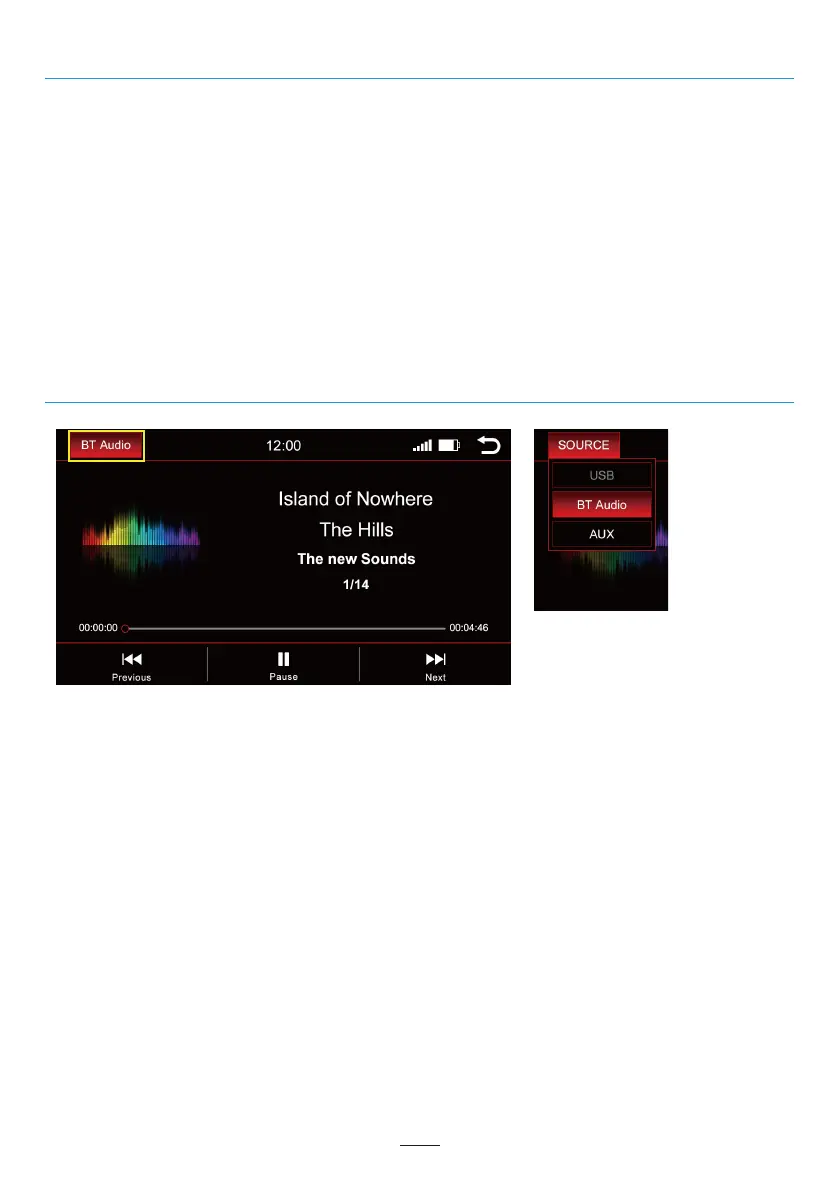
Press “BT Audio” on the top left to change the media source.
A dropdown appears:
Active source = highlighted in red (in the example above BT Audio)
Grayed-out source = source not connected (i.e. “USB” in above right image)
Red highlighted source = source connected and ready for playback
Select the desired playback source in the dropdown.
Change Media Source
Navigation Software
For all the functions and options of the navigation software, please refer to the manual for the navigation
software.
24



 To Next Page