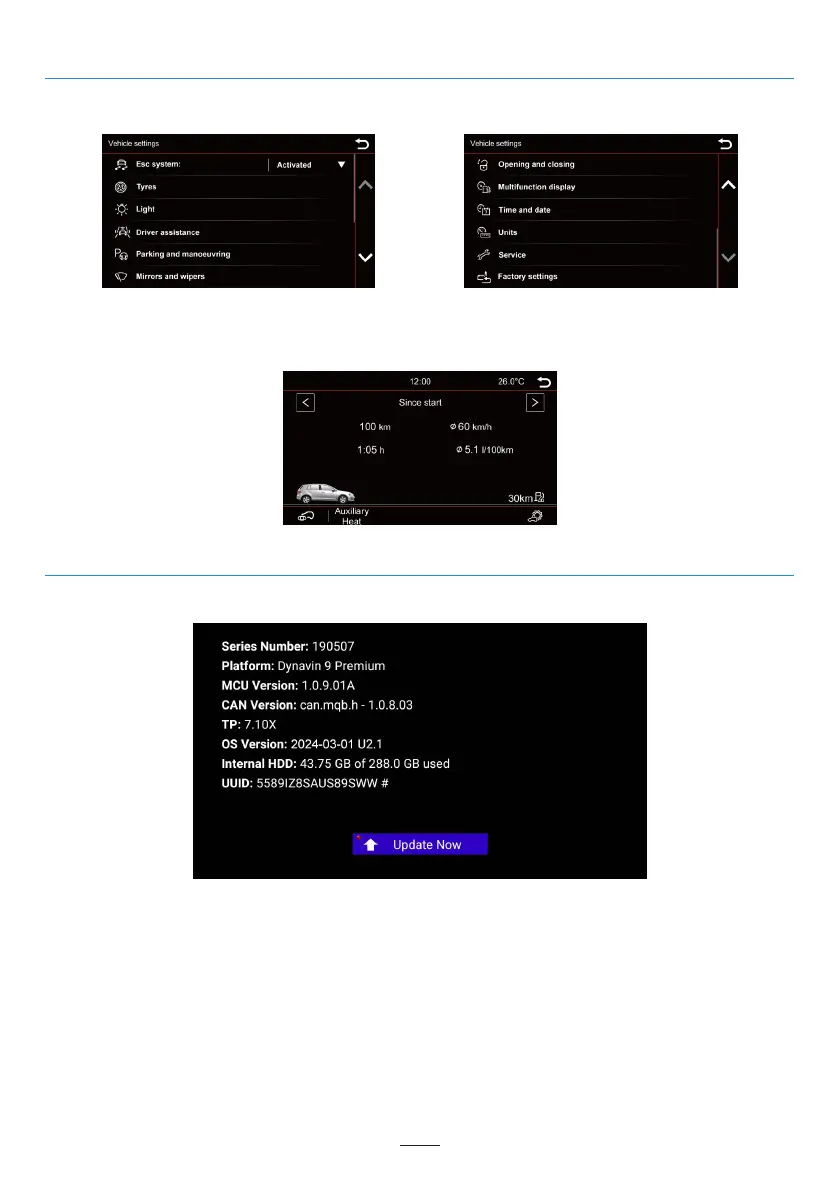
Vehicle (Vary by vehicle)
The Dynavin unit offers the ability to display the vehicle information. The information displayed varies from
vehicle to vehicle. The Dynavin has limited ability to read vehicle information. Vehicle information details cannot
be given or guaranteed before the unit is installed.
02 03 04 05 06 07 08 09 10 11 12
13 14 15 16 17 18 19 20 21 22 23 24
25 26 27 28 29 30 31 32 33 34 35 36
37 38 39 40 41
43 44 45 46
Firmware Update
In the Info menu you can view the Dynavin's system information and the find the button to update the
firmware.
Before Installing:
You only need to update the firmware if your Dynavin is not functioning normally or if you are explicitly
instructed on Dynavin’s homepage or by a Dynavin distributor to do so.
Each update will be installed at your own risk. Dynavin is not responsible for errors which may occur during the
update resulting in the malfunctioning of the unit. Please ensure that during a firmware install that you have
constant power to the unit and there is no power failure or other voltage fluctuations. This may interfere with the
update process and make the unit unusable.
Use only USB stick which are 100% failure free. If you use a defective USB stick it is possible that the update will
not be able to install or that the update will damage your unit.
Use only firmware updates for your Dynavin that are approved by Dynavin and are found on Dynavin’s website.
Visit flex.dynavin.com for available updates and to determine whether your Dynavin requires an update.
The original vehicle settings are retained when installed Dynavin radio; but the feature depends on the
vehicle.
39



 To Next Page