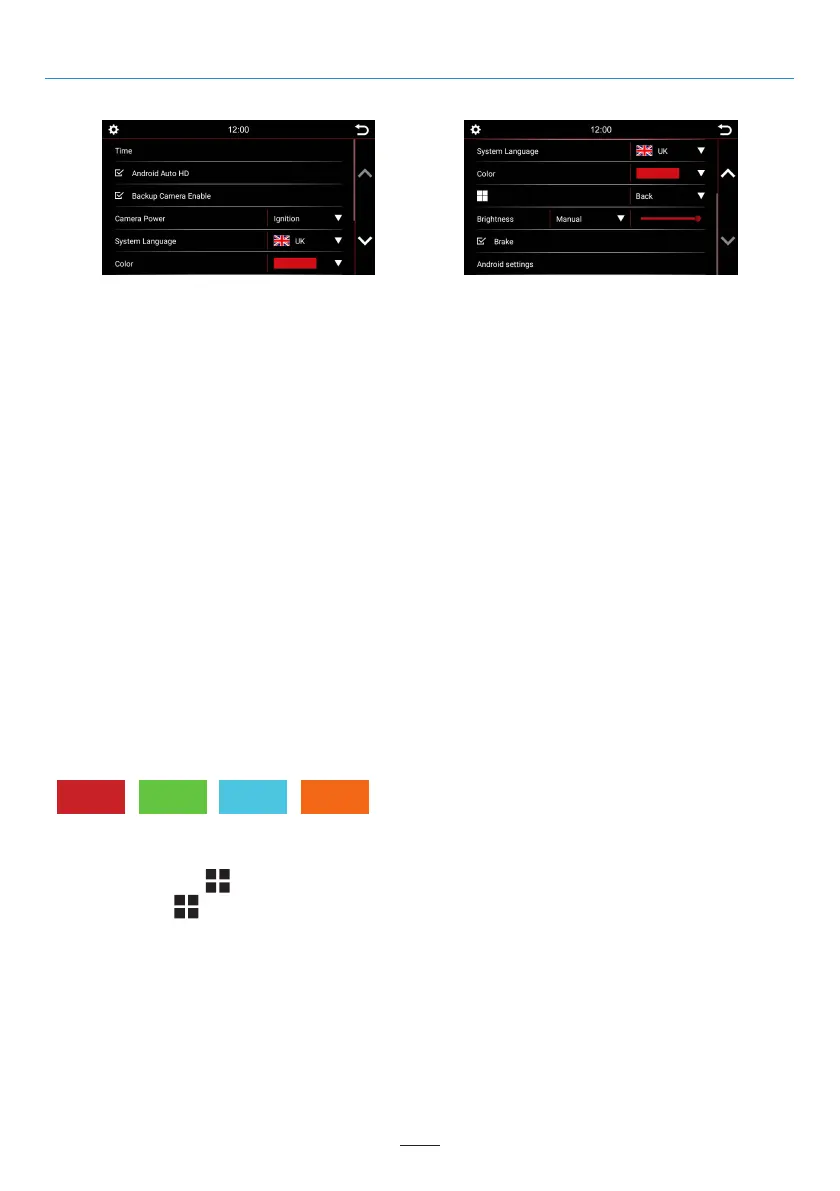
System Settings
02 03 04 05 06 07 08 09 10 11
09
13 14 15 16 17 18 19 20 21 22 23 24
25 26 27 28 29 30 31 32 33 34 35 36
37 38 39 40 41 42 43 44 45 46
Overview of the System Settings
Set Multifunction:
You can program the “ ” button to create a shortcut to a preferred function or mode. Once programmed,
simply press the “ ” button to instantly access it.
Brightness:
You have several ways to adjust the brightness and control. This includes the dimming function. First, touch the
down arrow key right of the menu item labeled Manual / Auto Illumination.
Depending on the selected function, another option in the settings may be unlocked.
Manual = Manually adjust the backlighting
Auto Illumination = Automatic dimming function (on when lights are turned on)
Time:
In this menu you can set the time zone in which you are located. For example, Germany: winter time (UTC +1:00)
and summer time (UTC +2:00).
Android Auto HD:
Adaptation to different styles and resolutions.
Backup Camera Enable:
If only one rear camera is installed and this option is deselected, nothing will happen when the reverse gear is
engaged. The screen will remain in the menu you are currently in. Select this option, to enable the rear camera
video when in reverse gear.
Camera Power:
Select the power supply source for the camera power, Ignition OR Reverse Gear can be selected.
System
Language:
Set your desired device language. 11 languages selectable.
Color:
Select a color to change the color of the lines and icon borders on the screen.
4 colors available:



 To Next Page