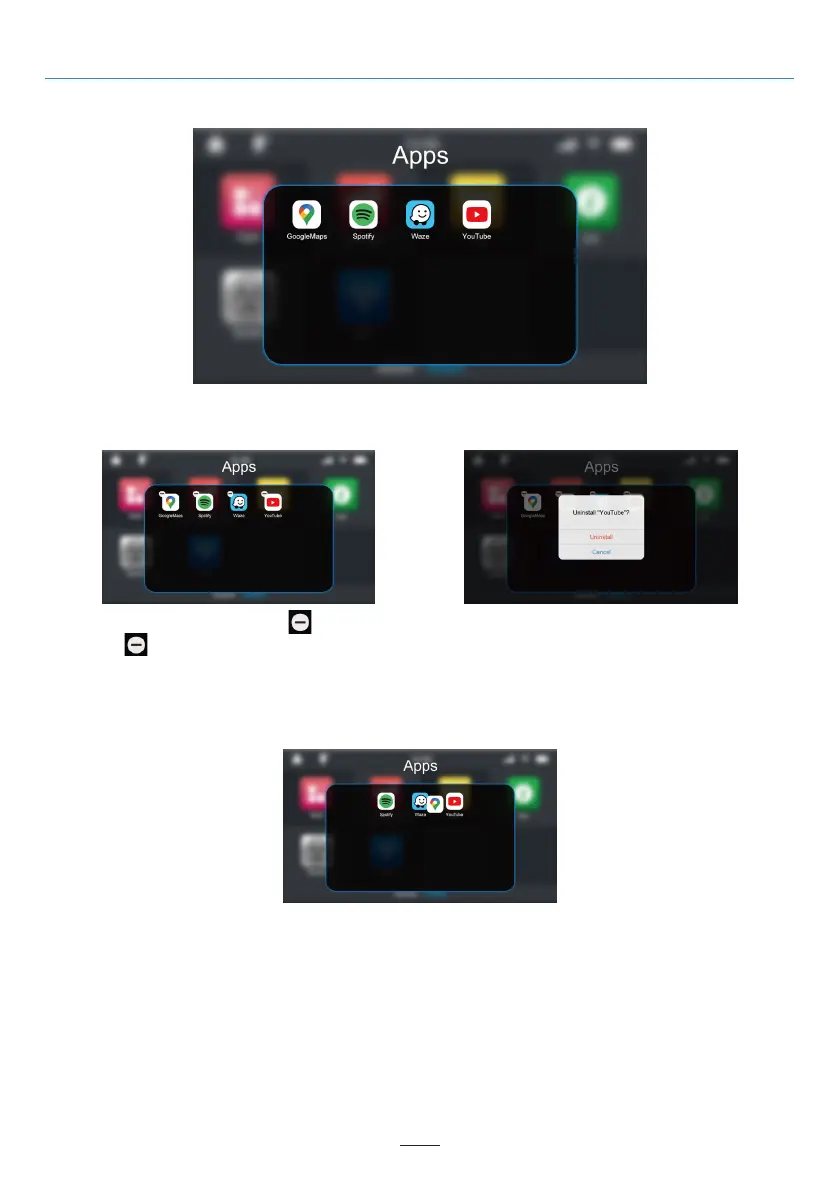
Apps Menu
Uninstall the App
Move the App to the Main Menu
Apps Menu
Long pressing the app will appear “ ” icon.
Click the “ ” icon to go to the final confirmation uninstall window.
Long press the app icon and drag it outside the Apps window. This app icon will be moved to the last position in
the main menu after you release your finger.
If you need to move the app icon to a different location, release your finger when the app icon overlaps with the
desired location.
02 03 04 05 06 07 08 09 10 11 12
13 14 15 16 17 18 19 20 21 22 23 24
25 26 27 28 29 30 31 32 33 34 35 36
37 38
40 41 42 43 44 45 46
36



 To Next Page