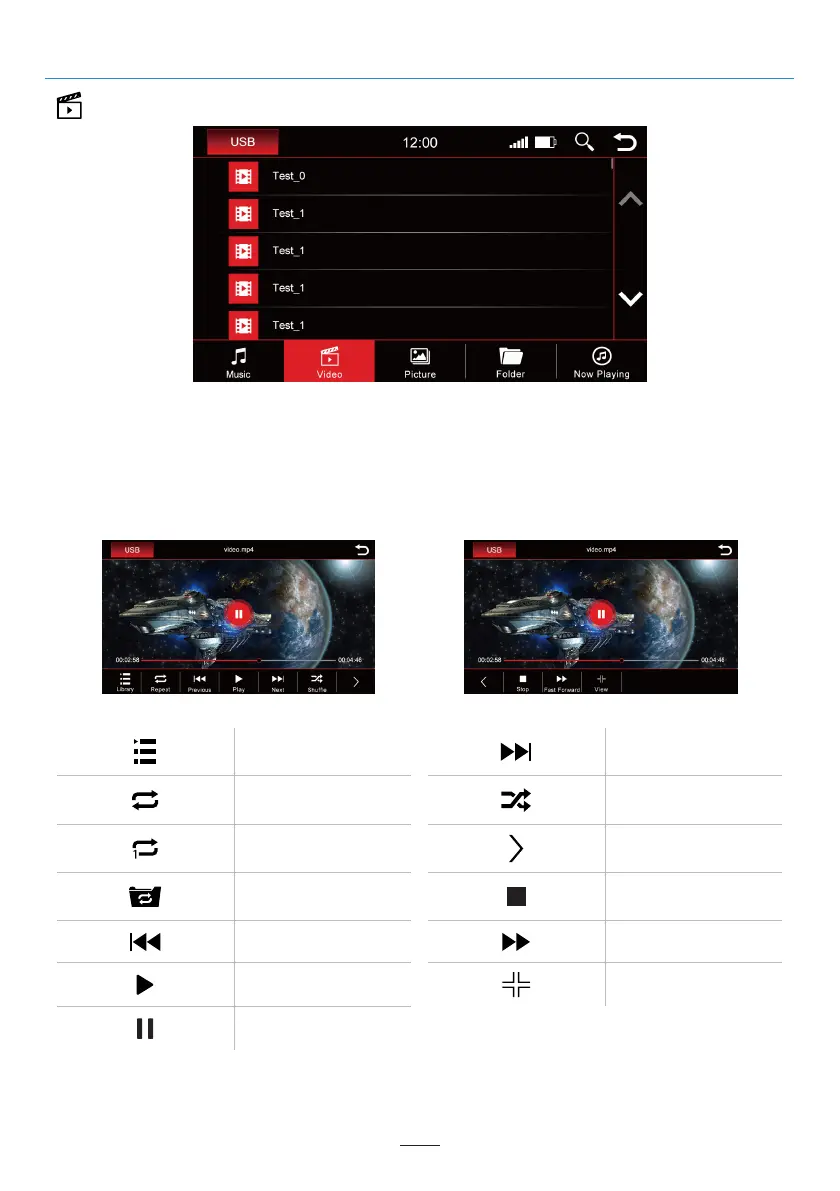
Video
When the “Video” overview is selected, you will see all videos that are on the playback source.
Scroll either with the arrow keys or finger to the video you want and tap the title to play it.
While the video is playing, the following buttons will be available to you:
Open library
Play
Previous
Repeat all
Repeat current video
Repeat folder
Pause music
View / Play
Fast Forward
More functions
Stop
Next
Shuffle
02 03 04 05 06 07 08 09 10 11 12
13 14 15 16 17 18 19 20 21 22 23 24
25 26 27 28 29 30 31 32
34 35 36
37 38 39 40 41 42 43 44 45 46
USB
31



 To Next Page