Transfer File
File Menu
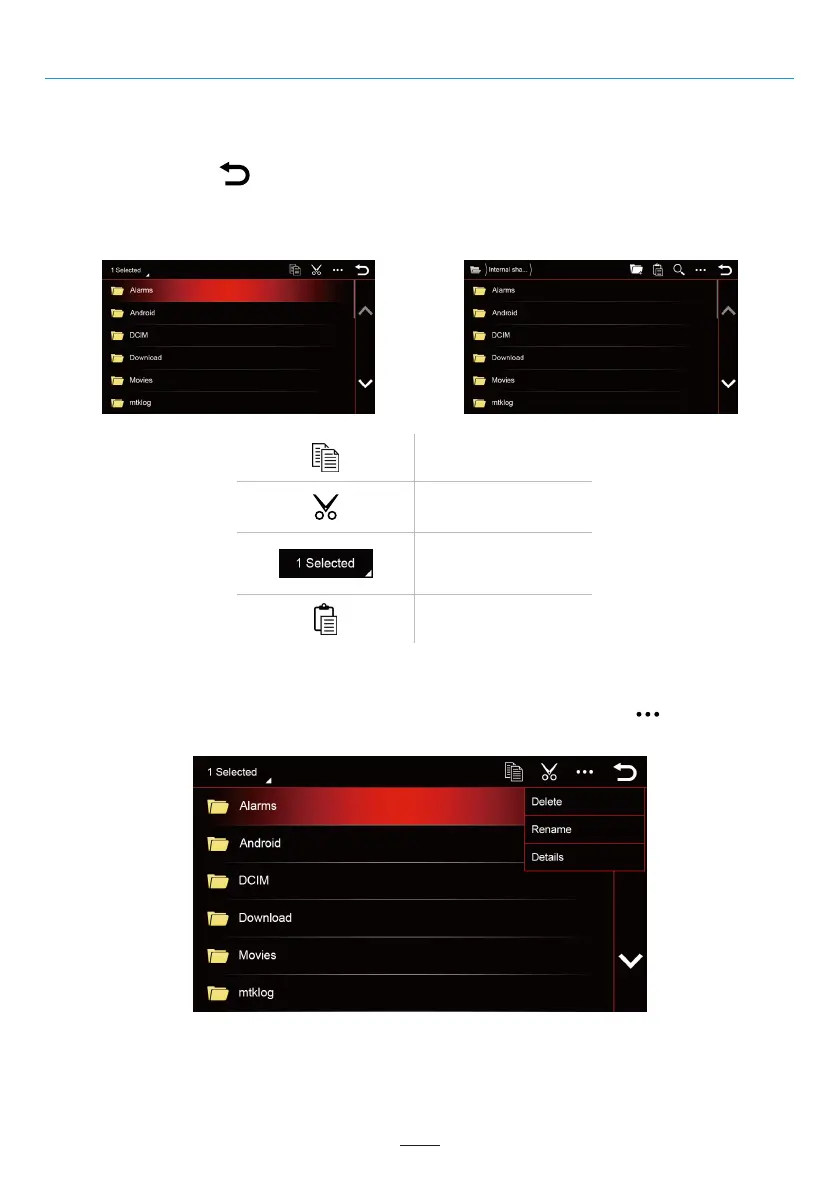
You can copy or transfer files from a USB Drive to the Internal shared storage. Long press the file name from the
USB Drive and you will see the “Copy” and “Cut” options (If you need to deselect a file, you can click the file
name again or click the “ ” button).
After tapping the “Copy” or “Cut” icon, enter the “Internal shared storage” menu and click the “Paste” icon, the
selected file will appear in the Internal shared storage.
Edit File
Long press the file name from the Internal shared storage / USB Drive, after clicking the “ ” button you can
delete the file, rename the file or view file details.
Copy
Cut
More Options (Select file
or folder, Hide files and
Sort)
Paste
02 03 04 05 06 07 08 09 10 11 12
13 14 15 16 17 18 19 20 21 22 23 24
25 26 27 28 29 30 31 32 33 34 35 36
37 38 39 40
42 43 44 45 46
38



 To Next Page