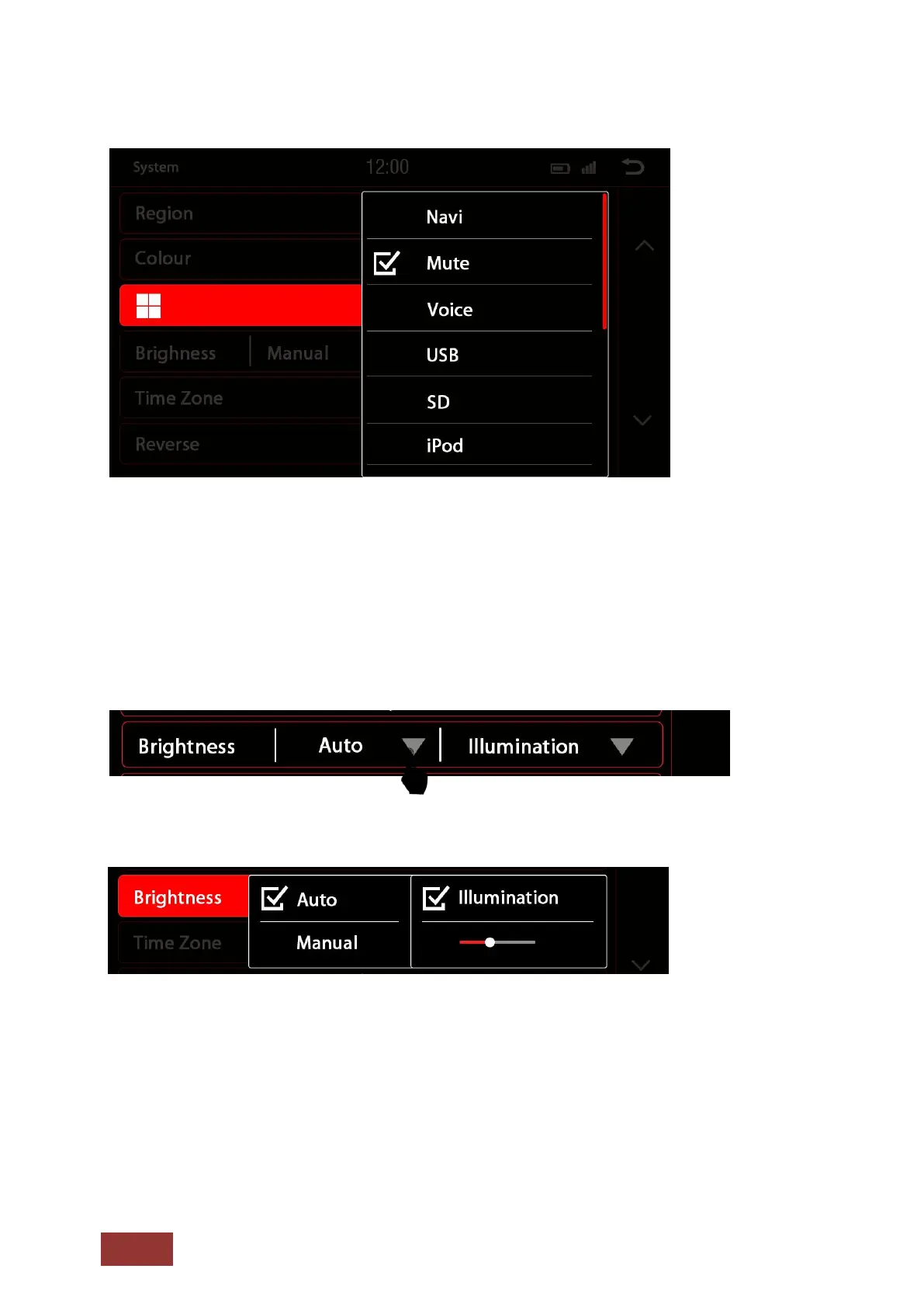
Multi-Function Button
You can program this button to create a shortcut to a preferred function or mode. (Options are
pictured.) Once programmed, simply press the button to instantly access it.
Brightness
You have several ways to adjust the brightness and control. This includes the dimming function.
First, touch the down arrow key right of the menu item labeled Auto / Manual.
After touching the arrow, there will be a sub-menu.
Depending on the selected function, another option in the settings may be unlocked.
Auto
= Automatic dimming function
Illumination = on when lights are turned on
Sensor = light detection in the interior of the vehicle
Manual = Manually adjust the back light



 To Next Page