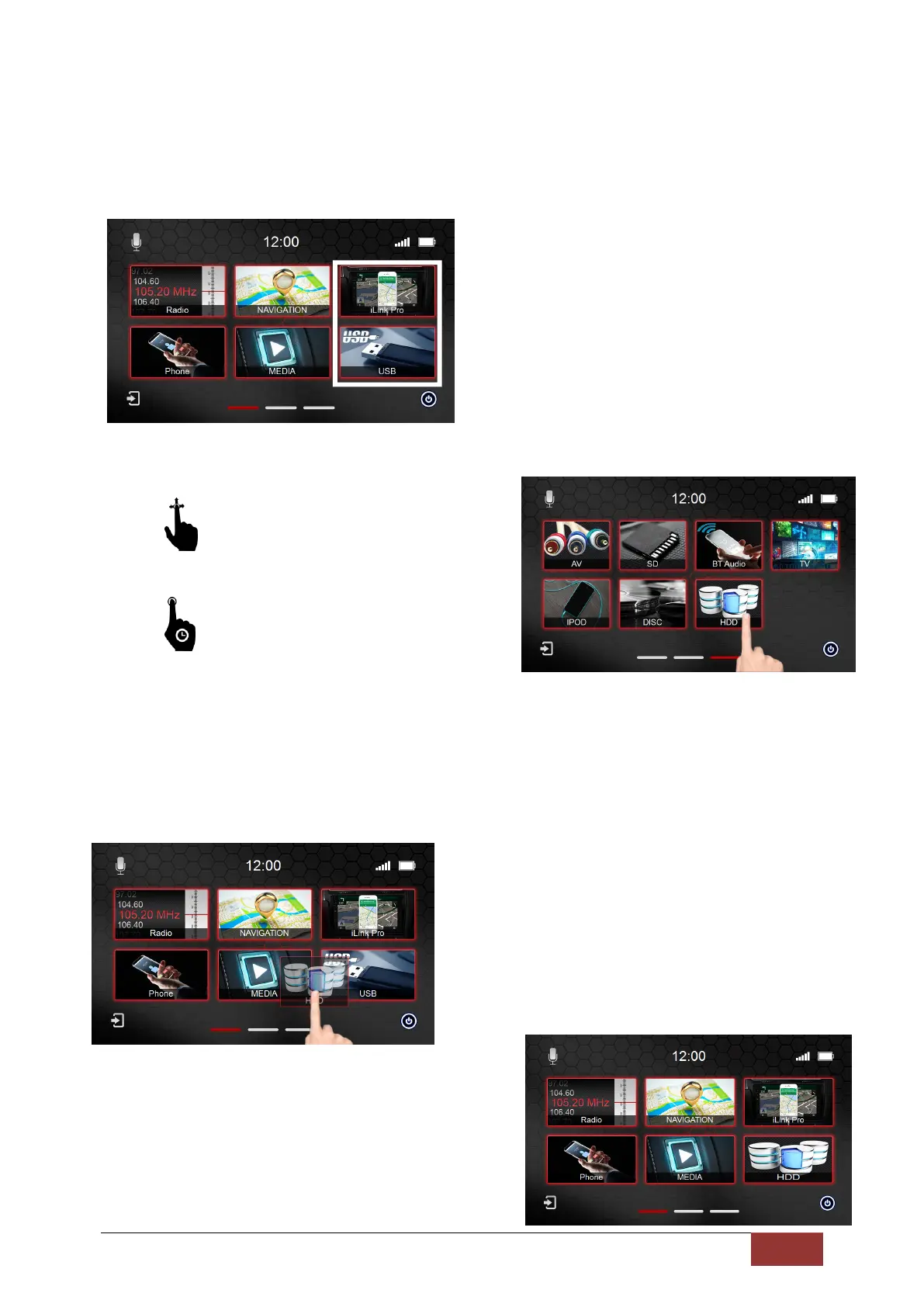
Moving Icons
To move a function icon on the Main Menu, read the instructions below.
You have the option to change two of the
icons on the first page to icons from the last
(third) menu page.
In the left picture, note the highlighted
interchangeable icons.
Go through a scrolling movement to
the third menu page.
Touch and hold to the function you want to
move with a finger.
After about two seconds, the icon for the selected function is moved and you will automatically be on
the first menu page. Continue holding your finger on the screen.
Place the icon you have selected over the icon you
wish to replace.
Now take your finger off the screen. The icons
will be exchanged automatically.



 To Next Page