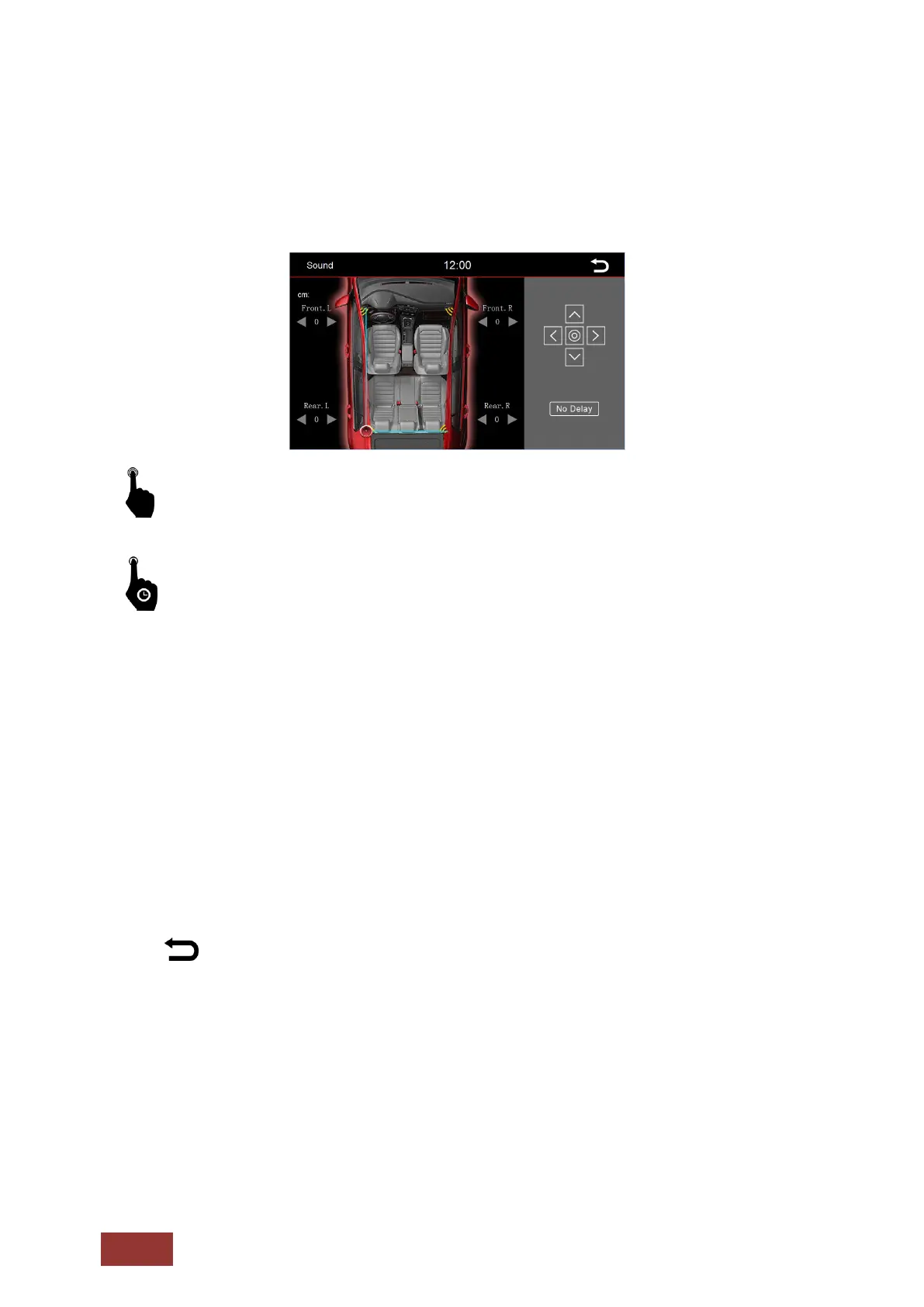
Fader – Balance – Delay
In the menu for Fader, Balance, and Delay you can set up the speakers so that they are leveled
perfectly to your seating position.
Through a brief touch of the arrow icons, you can adjust the specified area.
With a long press on one of the settings, the setting will continue to change automatically.
Use the directional pad displayed on the right side to control the volume of individual speakers.
The arrows indicate the direction in which you move the center.
One press on the circle in the middle of the directional pad will center the selected setting.
The displayed crosshair on the vehicle indicates where the acoustic center is located.
With the speakers shown at each corner of the vehicle, you can set the duration. Once there, you can
set the approximate distance in cm on how far your ear is located away from the speaker.
This can greatly enhance your music experience.
With the No-Delay button you can reset the settings.
: Press this button to return to the previous menu.



 To Next Page