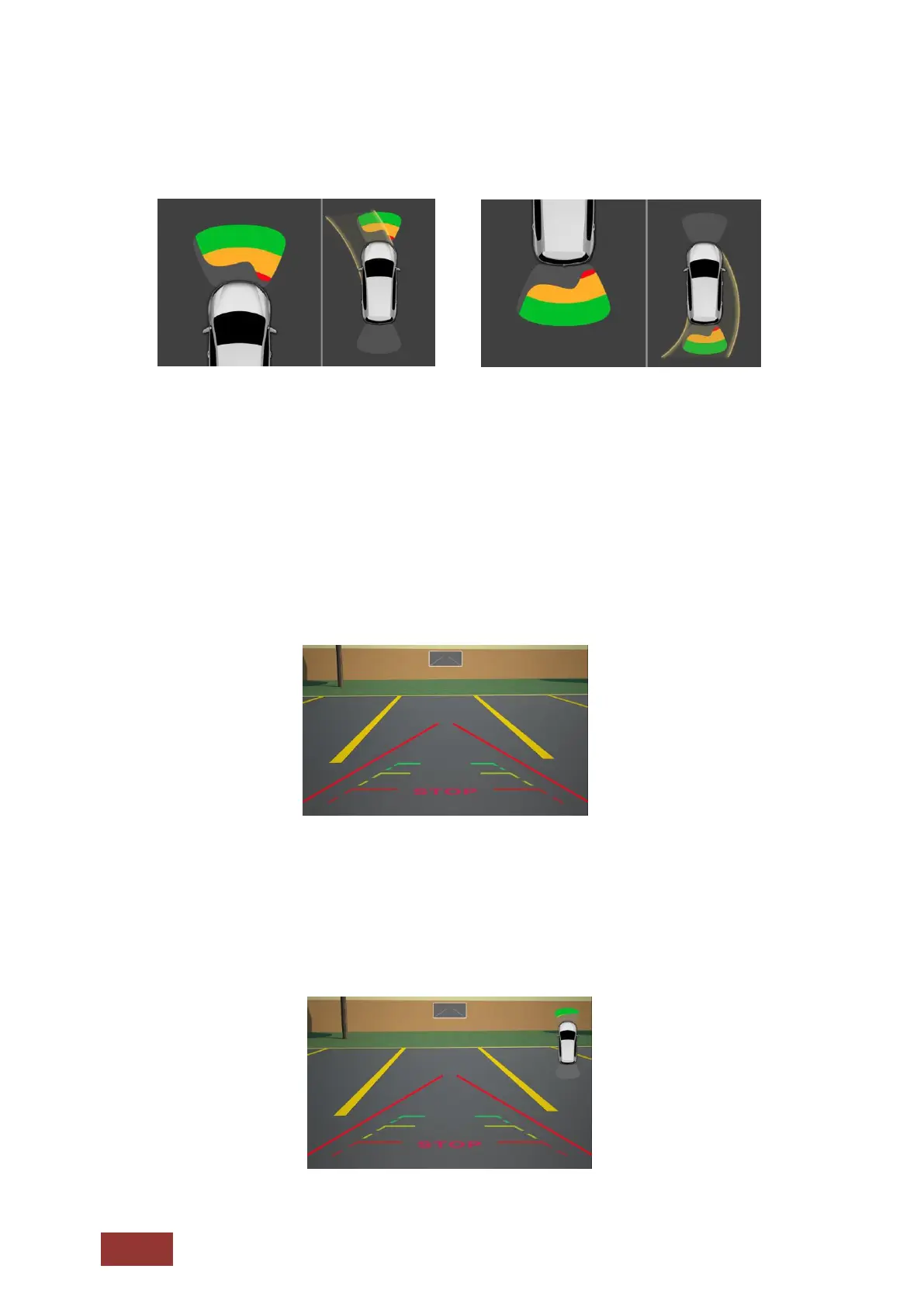
With PDC selected, a new image will appear when in reverse.
Depending on the vehicle and vehicle system it is also possible that the front PDC information is
displayed.
Please note that this system has only a supporting role. Faulty measurements caused by improperly
built-in systems or by environmental effects causing interference can not be compensated by the
system. These systems do not replace driver control or responsibility. Be aware of minimum
clearances.
With CAM selected, the rear view camera image will be shown.
Please note that proper image transmission is affected by camera settings, the installation of the
camera angle, and/or external interference. These systems do not replace driver control or
responsibility. Be aware of minimum clearances.
With PDC + CAM selected, both images will be displayed in one screen.



 To Next Page