B-3
MODEL 200IX/250IX BLOWER INSTALLATION
Model 200iX/250iX Above Ground Blower Installation
Version 4 High Pressure Blower Installation Guide
INSTALLING THE FAN ARM MOUNTS
Use the following instructions to install the fan arm mounts.
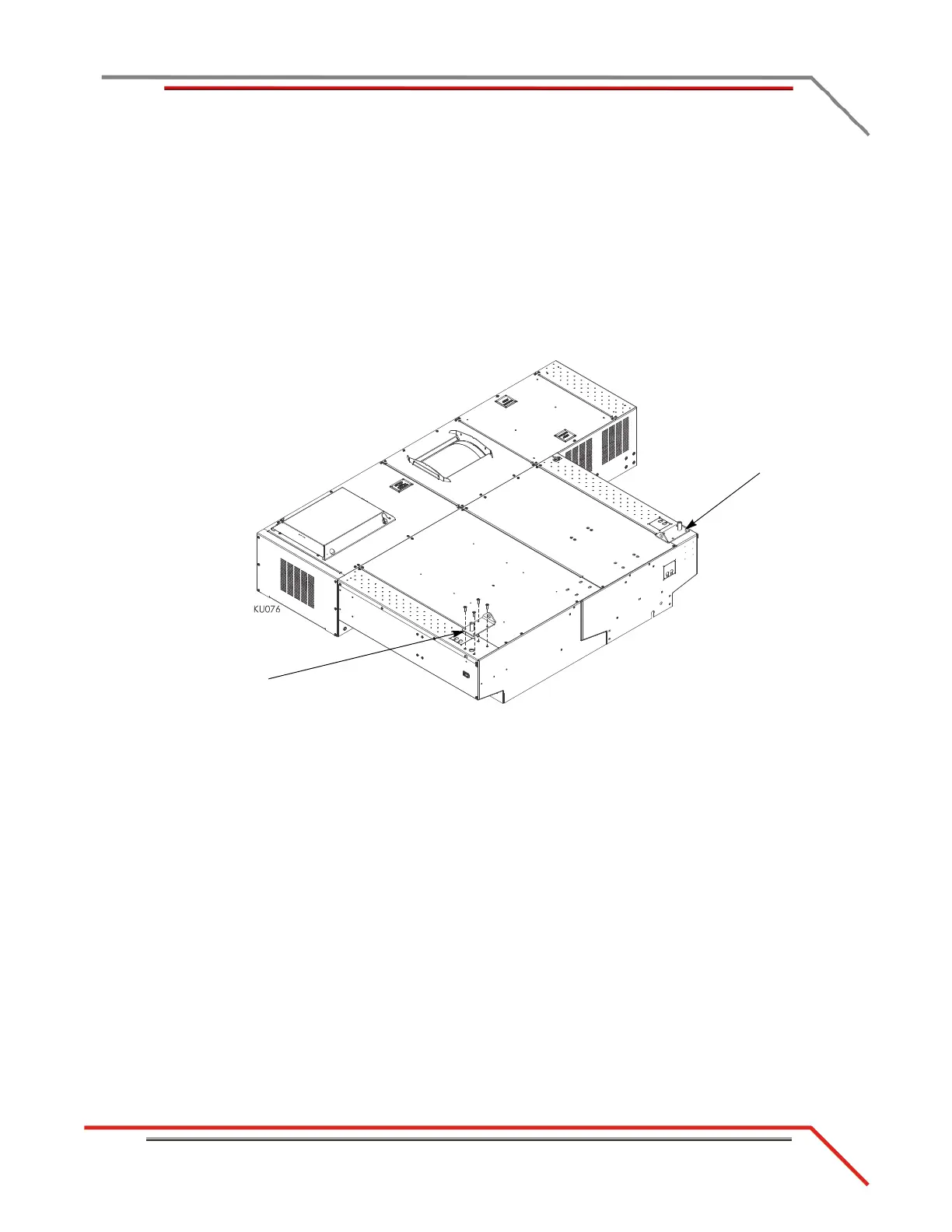
1 Install the fan arm mount on the right side of the dyno using four
3/8-16 x 1.25-inch button-head flange screws.
2 Place the fan arm mount on the left side of the dyno, but do not secure.
Note: Do not secure the fan arm mount used with the monitor support until the
monitor support is in place. refer to the Above Ground Model 200iX/250iX
Motorcycle Dynamometer Installation Guide
P/N 98200077.
Figure B-1: Installing the Fan Arm Mounts—Above Ground
fan arm mount under
monitor support
fan arm mount on
right side of dyno



 To Next Page