Chapter 2: Player Overview 7
FEATURES AND CONTROLS OVERVIEW
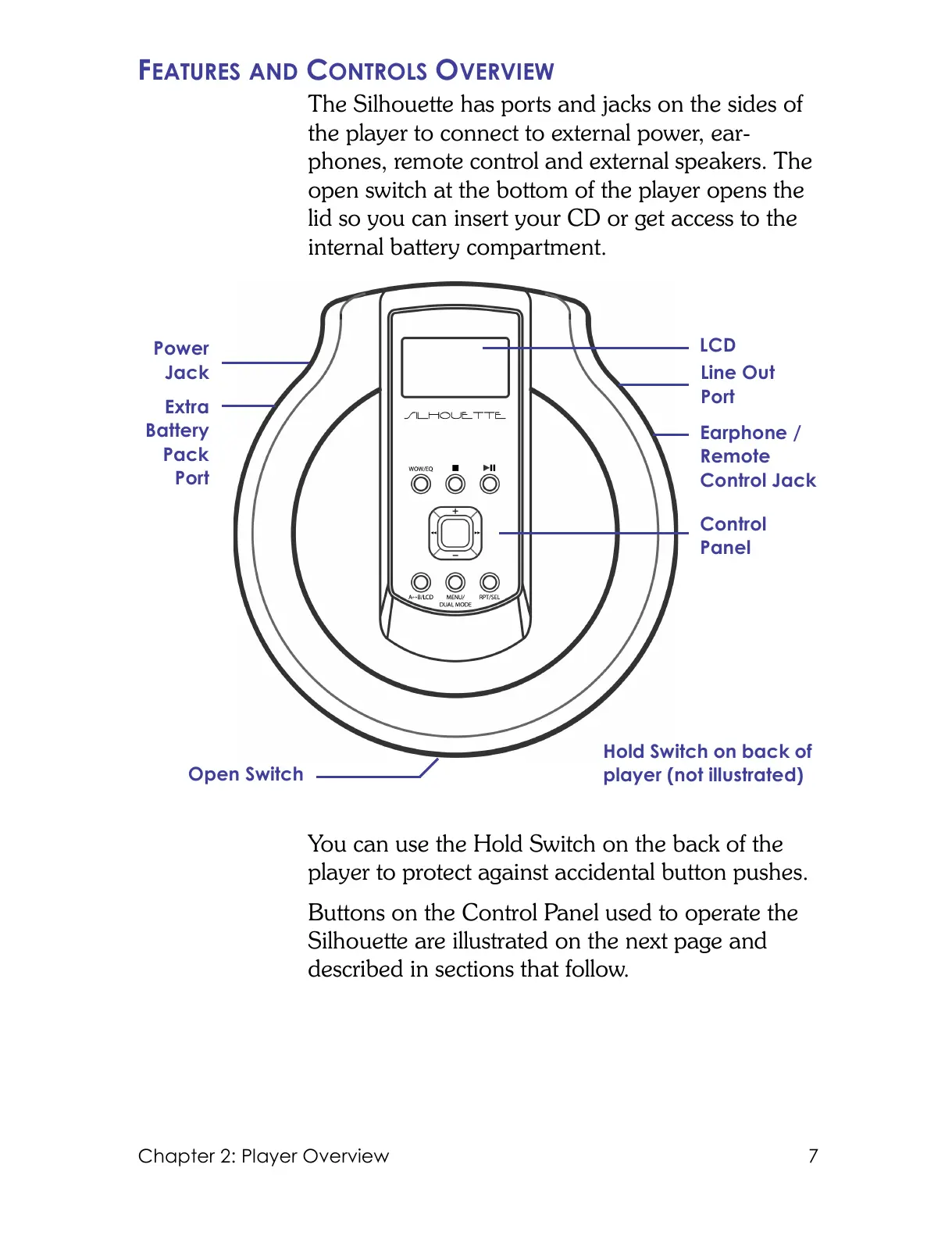
The Silhouette has ports and jacks on the sides of
the player to connect to external power, ear-
phones, remote control and external speakers. The
open switch at the bottom of the player opens the
lid so you can insert your CD or get access to the
internal battery compartment.
You can use the Hold Switch on the back of the
player to protect against accidental button pushes.
Buttons on the Control Panel used to operate the
Silhouette are illustrated on the next page and
described in sections that follow.
LCD
Line Out
Port
Power
Jack
Earphone /
Remote
Control Jack
Open Switch
Extra
Battery
Pack
Port
Control
Panel
Hold Switch on back of
player (not illustrated)



 To Next Page