Chapter 2: Player Overview 11
BATTERY INSTALLATION & RECHARGING
The two stick-type batteries included with your Sil-
houette will last for up to 10 hours of play. How-
ever, when you first receive your player, you must
insert the batteries and charge them.
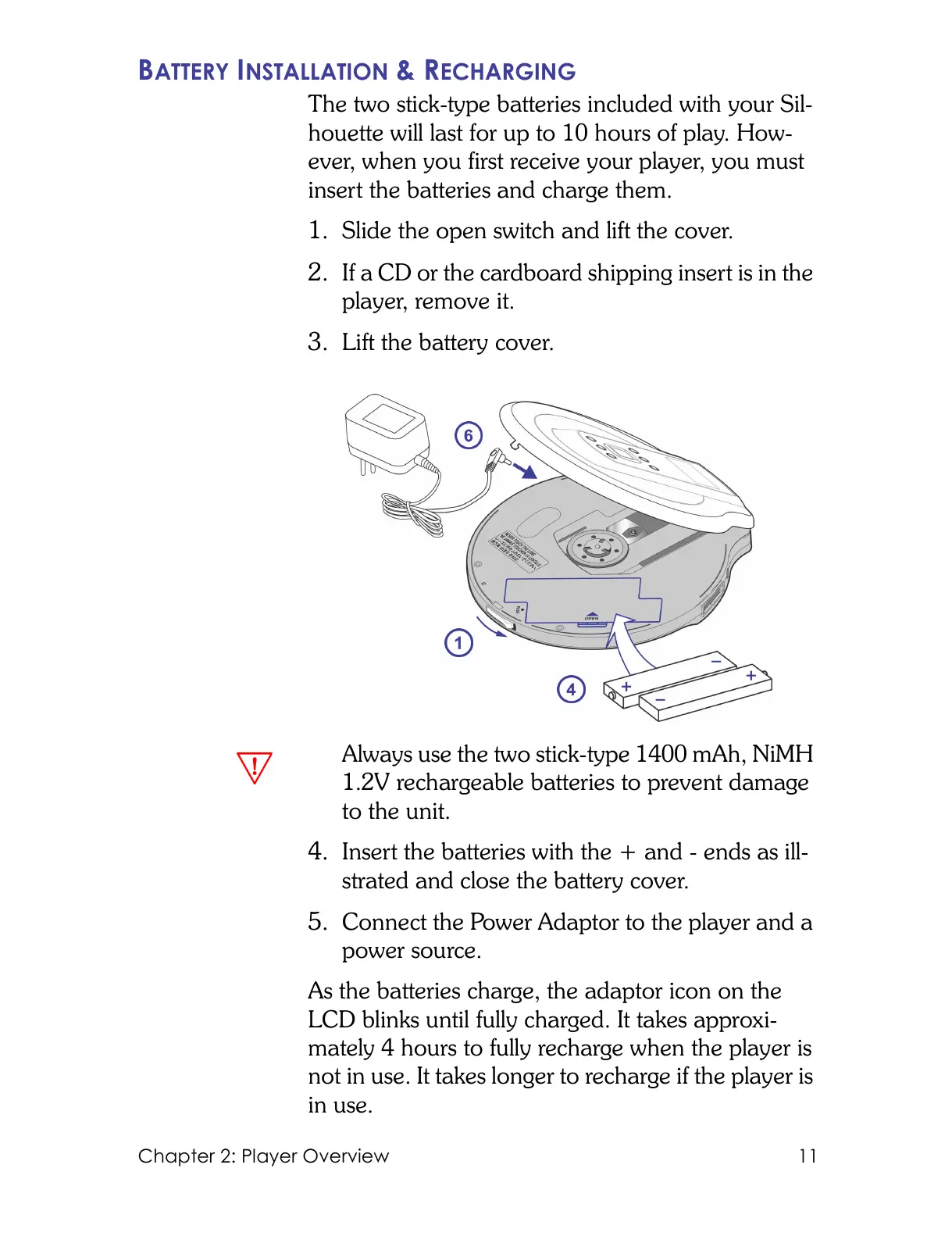
1. Slide the open switch and lift the cover.
2. If a CD or the cardboard shipping insert is in the
player, remove it.
3. Lift the battery cover.
Always use the two stick-type 1400 mAh, NiMH
1.2V rechargeable batteries to prevent damage
to the unit.
4. Insert the batteries with the + and - ends as ill-
strated and close the battery cover.
5. Connect the Power Adaptor to the player and a
power source.
As the batteries charge, the adaptor icon on the
LCD blinks until fully charged. It takes approxi-
mately 4 hours to fully recharge when the player is
not in use. It takes longer to recharge if the player is
in use.



 To Next Page