32 © e.Digital Corporation Silhouette User’s Guide
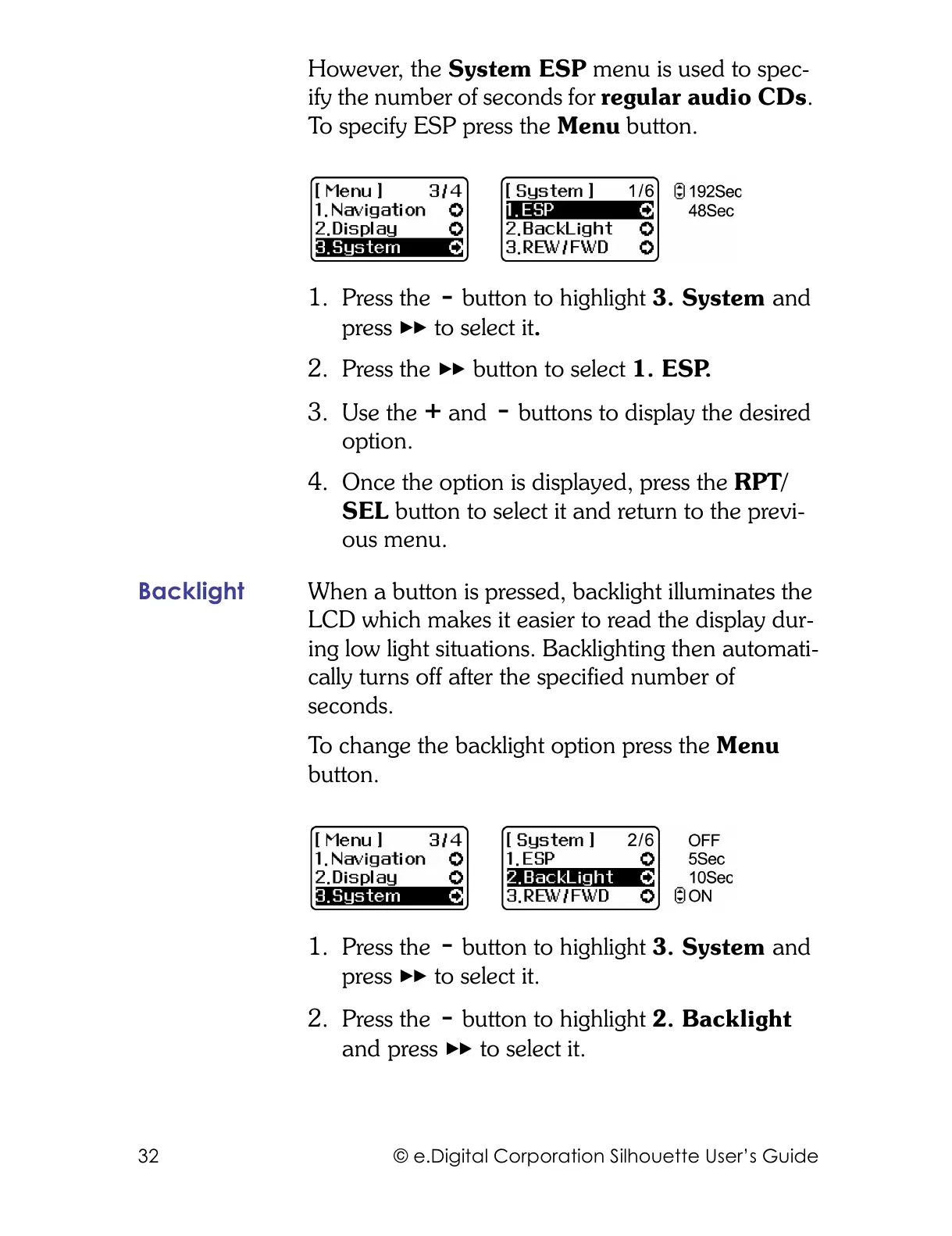
However, the System ESP menu is used to spec-
ify the number of seconds for regular audio CDs.
To specify ESP press the Menu button.
1. Press the button to highlight 3. System and
press to select it.
2. Press the button to select 1. ESP.
3. Use the and buttons to display the desired
option.
4. Once the option is displayed, press the RPT/
SEL button to select it and return to the previ-
ous menu.
Backlight When a button is pressed, backlight illuminates the
LCD which makes it easier to read the display dur-
ing low light situations. Backlighting then automati-
cally turns off after the specified number of
seconds.
To change the backlight option press the Menu
button.
1. Press the button to highlight 3. System and
press to select it.
2. Press the button to highlight 2. Backlight
and press to select it.



 To Next Page