Chapter 3: Menu Functions 29
DISPLAY OPTIONS MENU
The Silhouette Display menu provides options to
customize which information is shown on the LCD.
• File / Tag specifies the track information to be
displayed.
• Time specifies the display of track time as
elapsed or remaining.
• When you play a track, the File / Tag informa-
tion is animated on the LCD. The Scroll option
specifies the speed of this animation.
Note, at anytime during selection, you can press
the Menu button to cancel menu mode. Or, you
can press the button to return to the previous
menu.
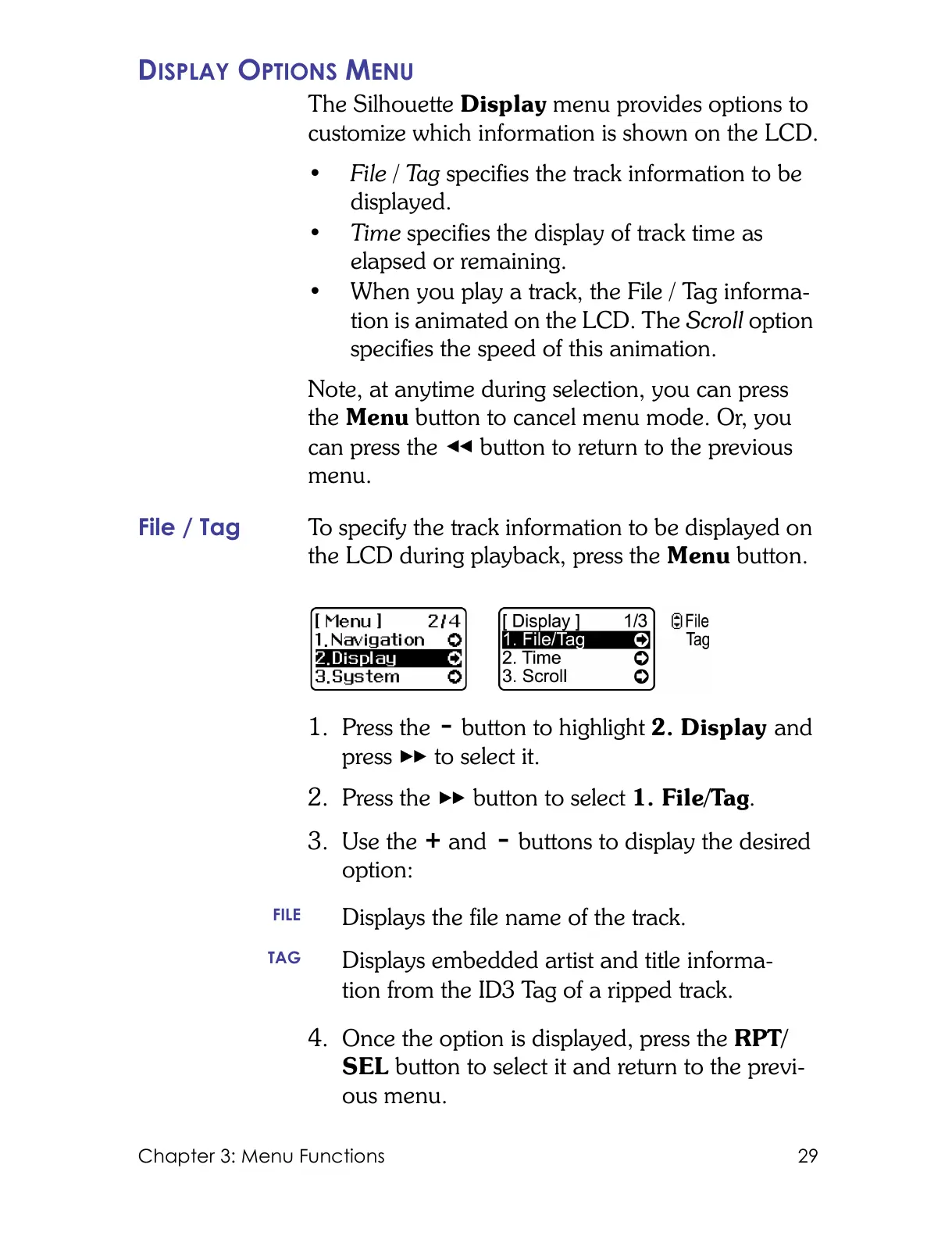
File / Tag To specify the track information to be displayed on
the LCD during playback, press the Menu button.
1. Press the button to highlight 2. Display and
press to select it.
2. Press the button to select 1. File/Tag.
3. Use the and buttons to display the desired
option:
4. Once the option is displayed, press the RPT/
SEL button to select it and return to the previ-
ous menu.
FILE
Displays the file name of the track.
TAG
Displays embedded artist and title informa-
tion from the ID3 Tag of a ripped track.



 To Next Page