36 © e.Digital Corporation Silhouette User’s Guide
4. Once the option is displayed, press the RPT/
SEL button to select it and return to the previ-
ous menu.
Resume When you power off your Silhouette, it remembers
the last track you played. When the player is pow-
ered back on, the Resume option specifies where
the player is to start playing. That is, to start from
the beginning of the last track played from the
same CD or within the track at the point where you
powered off.
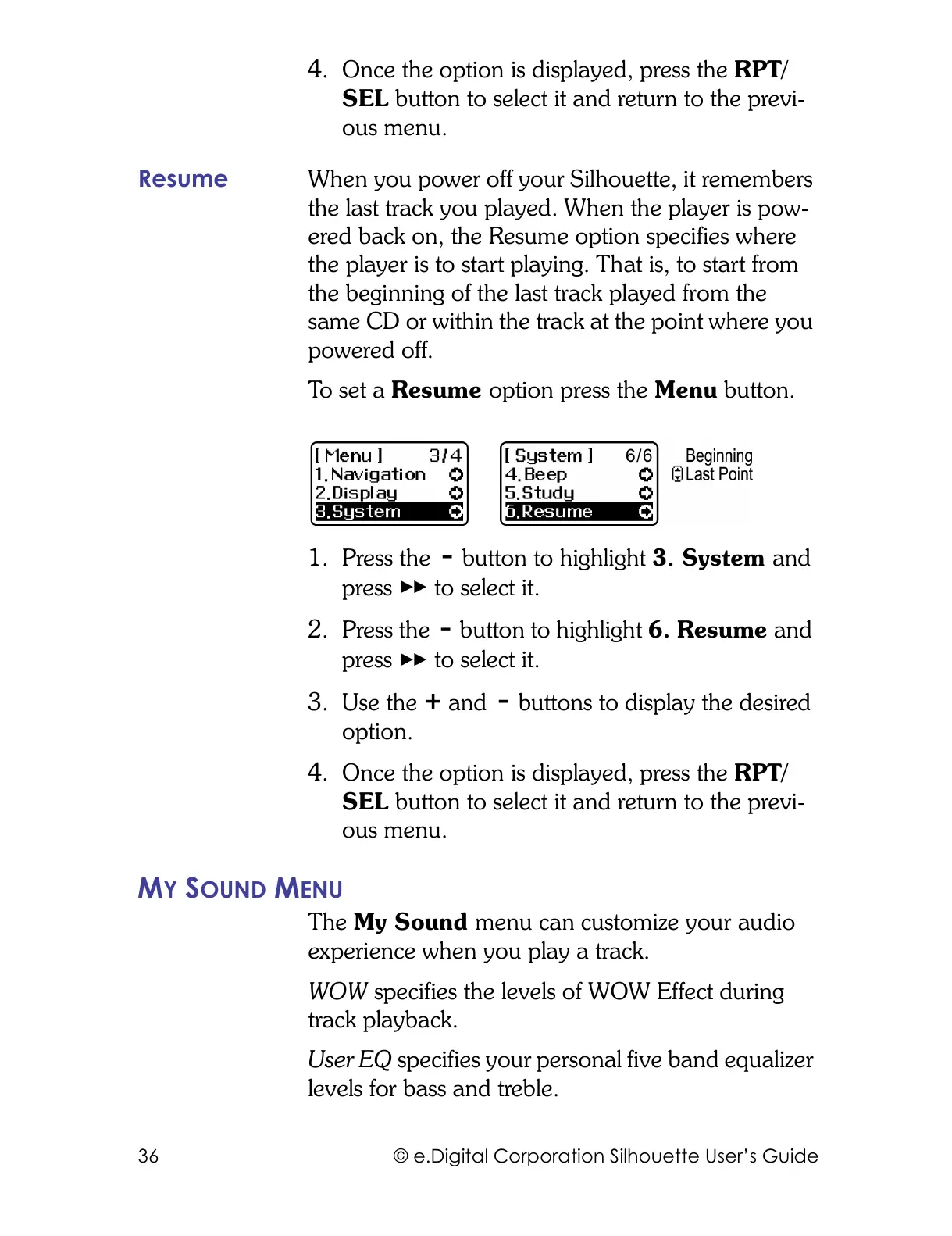
To s e t a Resume option press the Menu button.
1. Press the button to highlight 3. System and
press to select it.
2. Press the button to highlight 6. Resume and
press to select it.
3. Use the and buttons to display the desired
option.
4. Once the option is displayed, press the RPT/
SEL button to select it and return to the previ-
ous menu.
MY SOUND MENU
The My Sound menu can customize your audio
experience when you play a track.
WOW specifies the levels of WOW Effect during
track playback.
User EQ specifies your personal five band equalizer
levels for bass and treble.



 To Next Page