12 © e.Digital Corporation Silhouette User’s Guide
Remove
Batteries
When the player is not in use for an extended
period of time, remove the batteries from the
player.
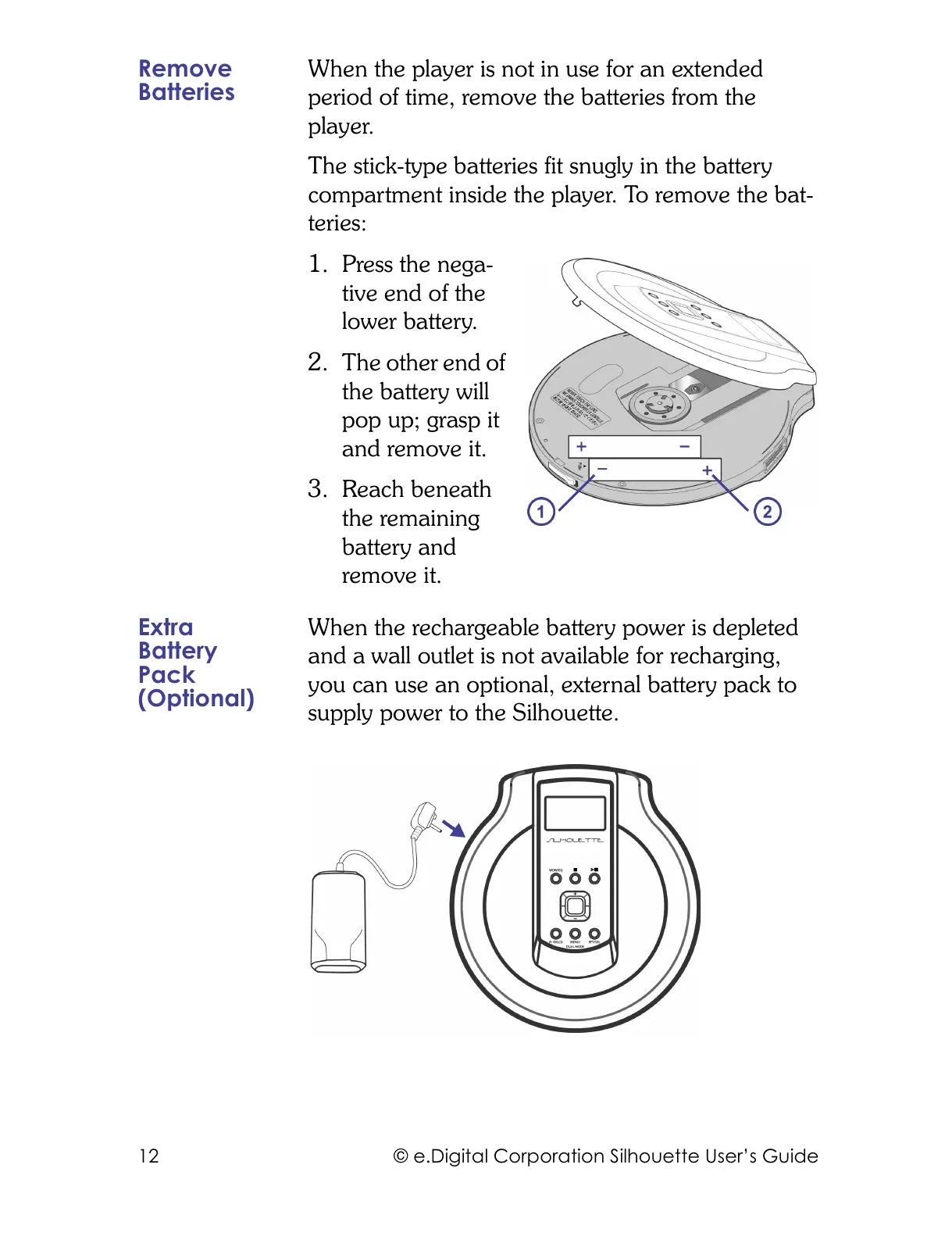
The stick-type batteries fit snugly in the battery
compartment inside the player. To remove the bat-
teries:
1. Press the nega-
tive end of the
lower battery.
2. The other end of
the battery will
pop up; grasp it
and remove it.
3. Reach beneath
the remaining
battery and
remove it.
Extra
Battery
Pack
(Optional)
When the rechargeable battery power is depleted
and a wall outlet is not available for recharging,
you can use an optional, external battery pack to
supply power to the Silhouette.



 To Next Page