8 © e.Digital Corporation Silhouette User’s Guide
Control
Panel
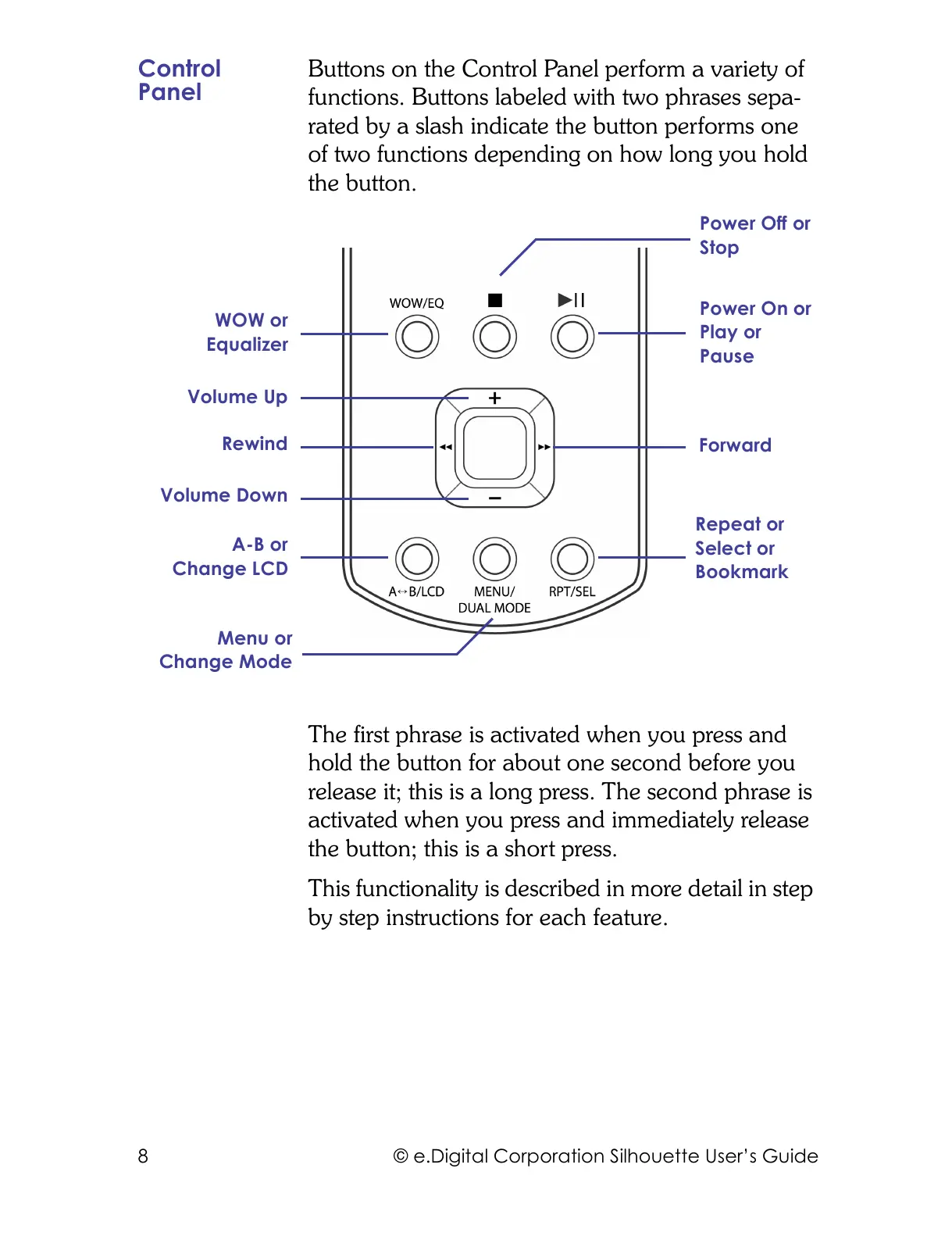
Buttons on the Control Panel perform a variety of
functions. Buttons labeled with two phrases sepa-
rated by a slash indicate the button performs one
of two functions depending on how long you hold
the button.
The first phrase is activated when you press and
hold the button for about one second before you
release it; this is a long press. The second phrase is
activated when you press and immediately release
the button; this is a short press.
This functionality is described in more detail in step
by step instructions for each feature.
Menu or
Change Mode
Repeat or
Select or
Bookmark
WOW or
Equalizer
Power Off or
Stop
Power On or
Play or
Pause
Forward
Rewind
Volume Up
Volume Down
A-B or
Change LCD



 To Next Page