Chapter 3: Menu Functions 35
4. Once the option is displayed, press the RPT/
SEL button to select it and return to the previ-
ous menu.
Study Study is an option you can enable to replay a track
segment. This feature is different than the INT
(introduction) Repeat Option where only the first
10 seconds is played. It is also different than the A-
B Replay Segment feature.
Once Study is enabled, you can activate it at any-
time during track playback by pressing the but-
ton.
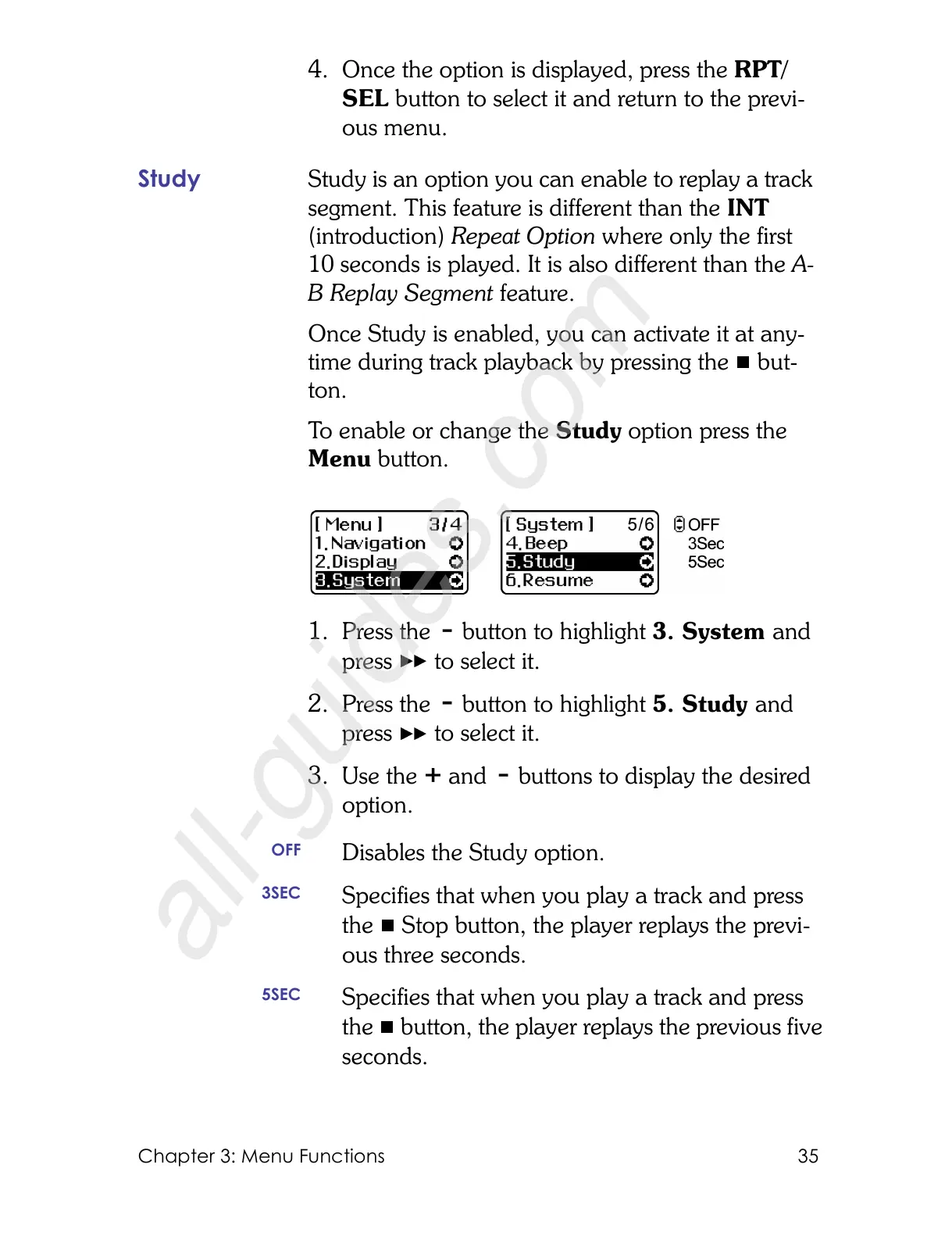
To enable or change the Study option press the
Menu button.
1. Press the button to highlight 3. System and
press to select it.
2. Press the button to highlight 5. Study and
press to select it.
3. Use the and buttons to display the desired
option.
OFF
Disables the Study option.
3SEC
Specifies that when you play a track and press
the Stop button, the player replays the previ-
ous three seconds.
5SEC
Specifies that when you play a track and press
the button, the player replays the previous five
seconds.



 To Next Page