38 © e.Digital Corporation Silhouette User’s Guide
User EQ This option specifies your personal five band
equalizer settings for bass and treble when you
select it by pressing the WOW/EQ button during
track playback.
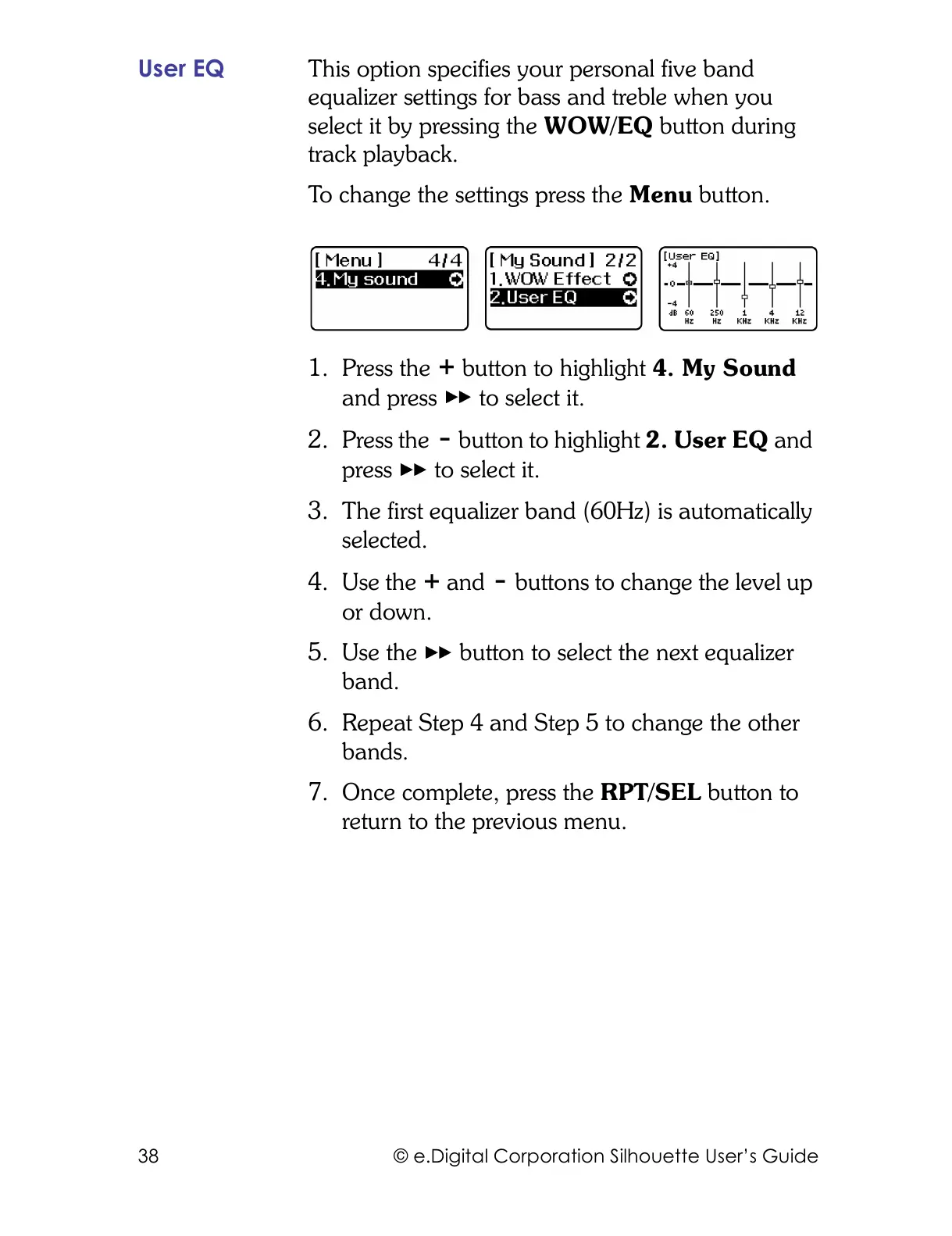
To change the settings press the Menu button.
1. Press the button to highlight 4. My Sound
and press to select it.
2. Press the button to highlight 2. User EQ and
press to select it.
3. The first equalizer band (60Hz) is automatically
selected.
4. Use the and buttons to change the level up
or down.
5. Use the button to select the next equalizer
band.
6. Repeat Step 4 and Step 5 to change the other
bands.
7. Once complete, press the RPT/SEL button to
return to the previous menu.



 To Next Page