Chapter 3: Menu Functions 27
NAVIGATION MENU
The Silhouette provides three methods to select a
track for playback. You can navigate by:
Directory - an alphabetical listing of all directories
on the CD.
Sort - an alphabetical listing of all CD tracks.
Bookmark - an alphabetical listing of all book-
marked tracks.
Note, at anytime during selection, you can press
the Menu button to cancel menu mode. Or, you
can press the button to return to the previous
menu.
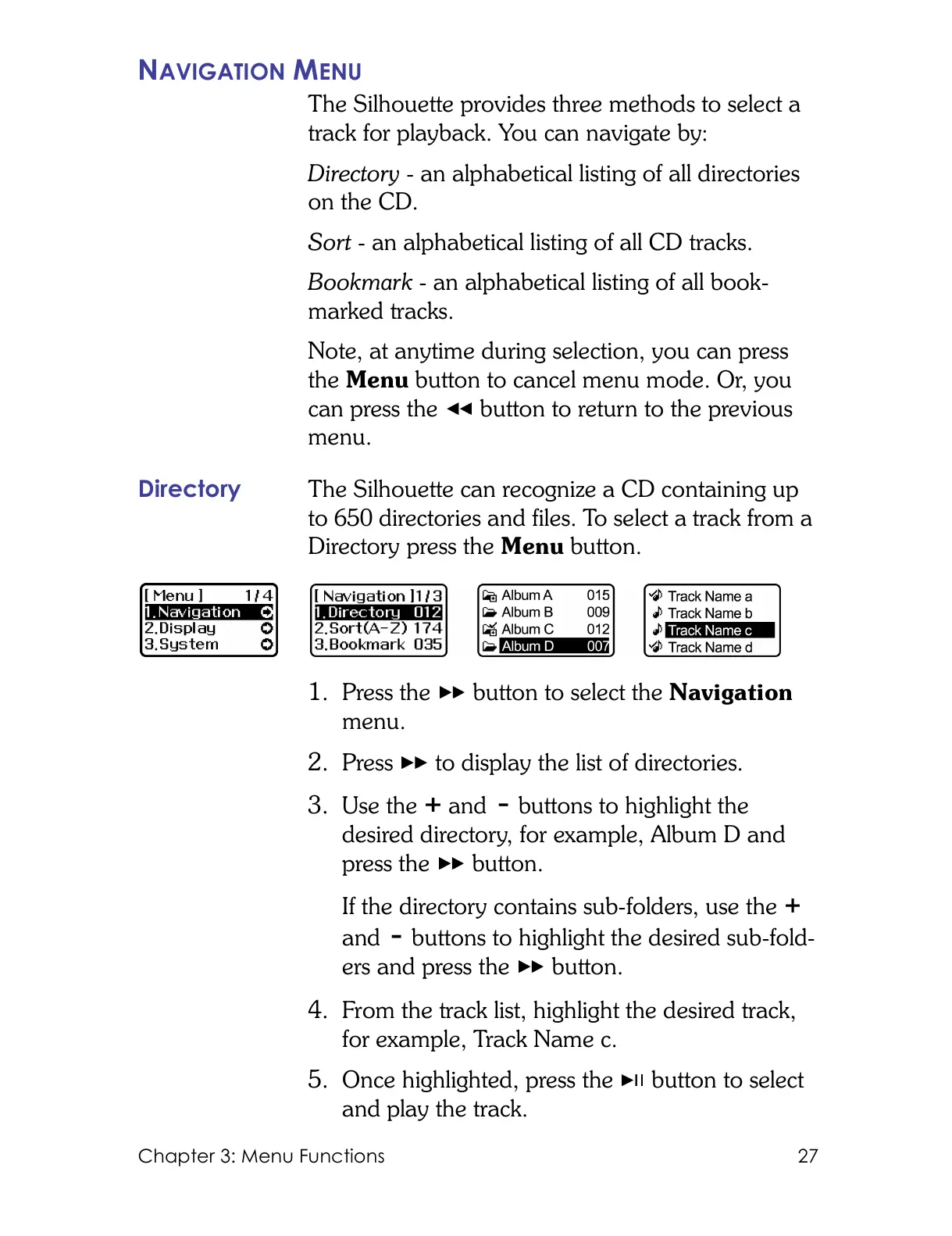
Directory The Silhouette can recognize a CD containing up
to 650 directories and files. To select a track from a
Directory press the Menu button.
1. Press the button to select the Navigation
menu.
2. Press to display the list of directories.
3. Use the and buttons to highlight the
desired directory, for example, Album D and
press the button.
If the directory contains sub-folders, use the
and buttons to highlight the desired sub-fold-
ers and press the button.
4. From the track list, highlight the desired track,
for example, Track Name c.
5. Once highlighted, press the button to select
and play the track.



 To Next Page