Chapter 2: Player Overview 9
Remote
Control
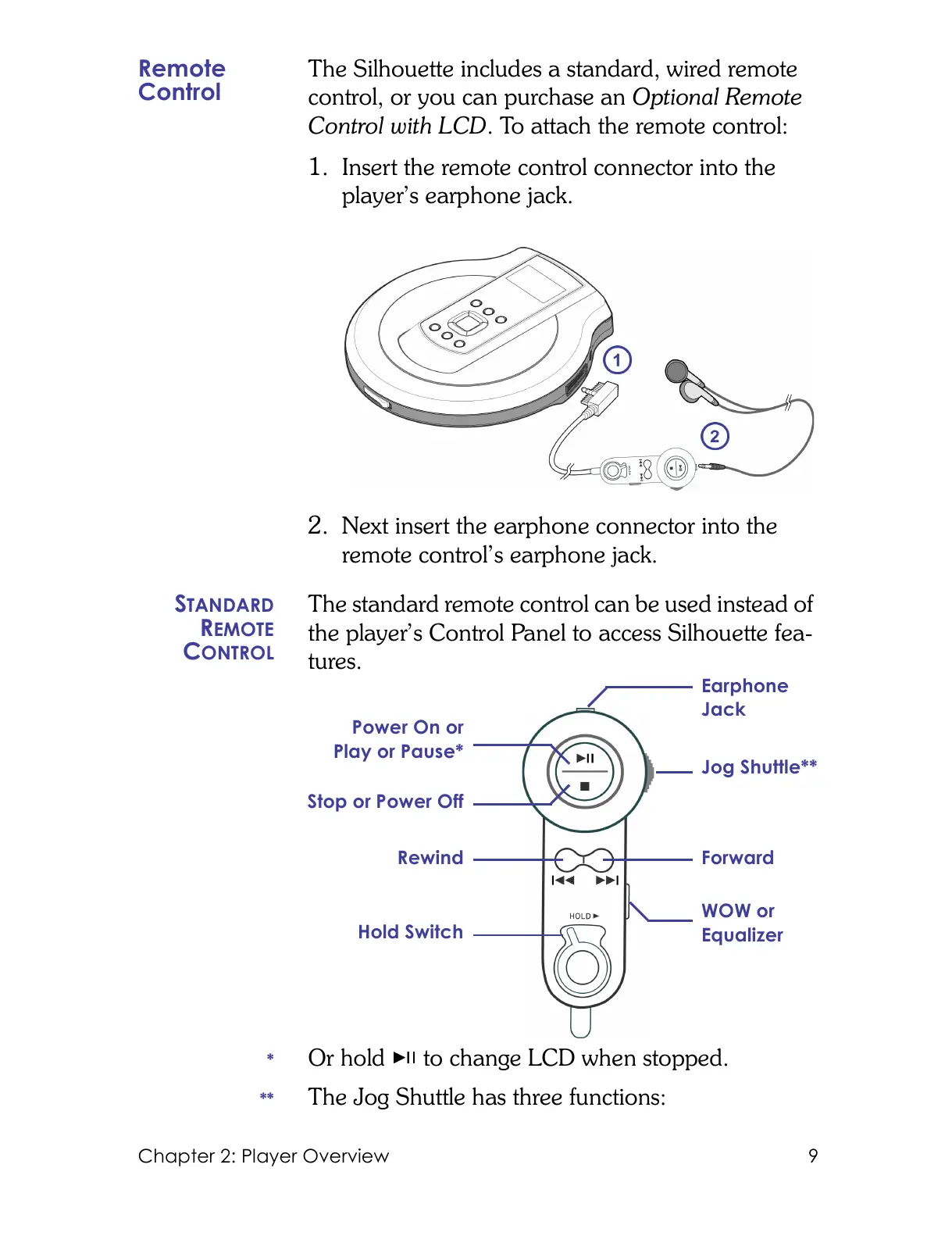
The Silhouette includes a standard, wired remote
control, or you can purchase an Optional Remote
Control with LCD. To attach the remote control:
1. Insert the remote control connector into the
player’s earphone jack.
2. Next insert the earphone connector into the
remote control’s earphone jack.
S
TANDARD
REMOTE
CONTROL
The standard remote control can be used instead of
the player’s Control Panel to access Silhouette fea-
tures.
* Or hold to change LCD when stopped.
** The Jog Shuttle has three functions:
Earphone
Jack
Forward
Jog Shuttle**
Hold Switch
Power On or
Play or Pause*
Stop or Power Off
WOW or
Equalizer
Rewind



 To Next Page