22 © e.Digital Corporation Silhouette User’s Guide
Bookmark
in
Navigation
Menu
You can also add and remove bookmarks in any of
the three Navigation submenus. For example, to
bookmark a track or entire directory from the
Directory submenu, press the Menu button.
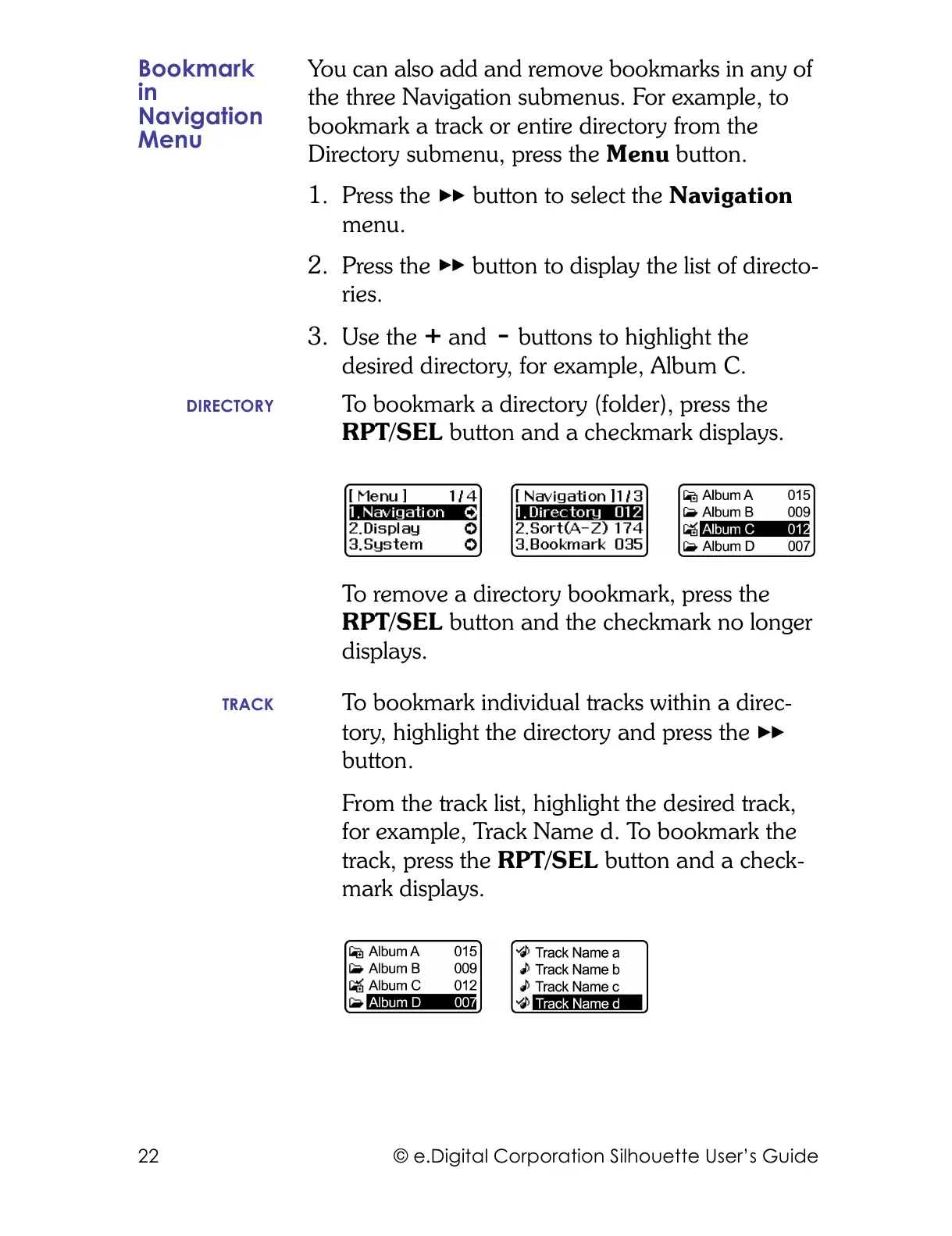
1. Press the button to select the Navigation
menu.
2. Press the button to display the list of directo-
ries.
3. Use the and buttons to highlight the
desired directory, for example, Album C.
DIRECTORY To bookmark a directory (folder), press the
RPT/SEL button and a checkmark displays.
To remove a directory bookmark, press the
RPT/SEL button and the checkmark no longer
displays.
TRACK To bookmark individual tracks within a direc-
tory, highlight the directory and press the
button.
From the track list, highlight the desired track,
for example, Track Name d. To bookmark the
track, press the RPT/SEL button and a check-
mark displays.



 To Next Page