19
First steps
© 2013 EBS
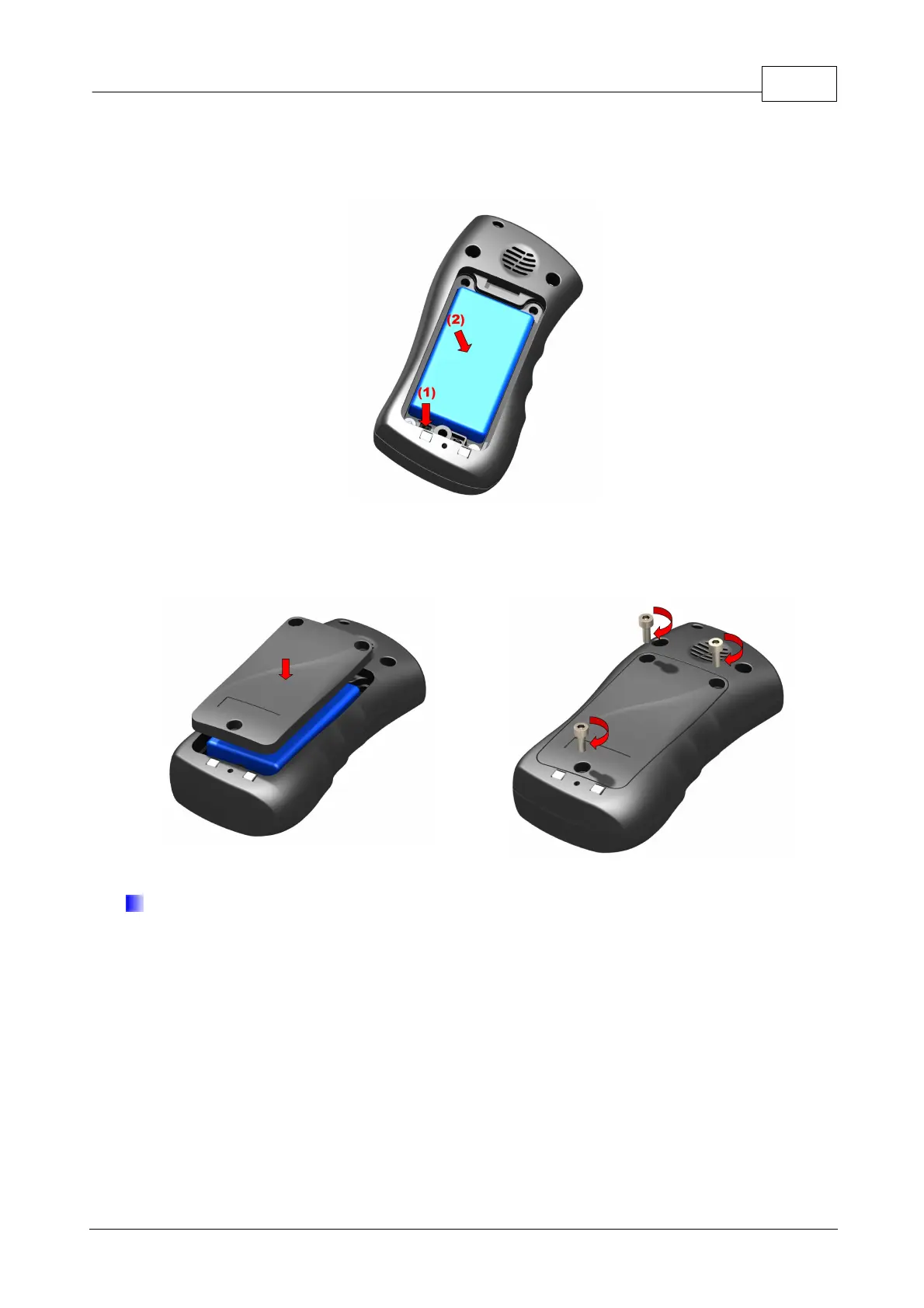
3. Insert battery. Connect battery connector to outlet in battery cavity. The connector
shape prevents from incorrect placing of battery – in case of trouble with placing turn
battery round and try again.
4. Lay down wires and close lid by screwing bolts.
Battery charging
Note:
Using chargers other than advised by The Manufacturer voids guarantee for
the device and may damage it. Current voltage source must be coherent with that
provided on charger’s nominal plate.
The device marked with 230V may be supplied from main socket directly.
The device can be turned off from the network by unplugging the power plug
from the wall socket. The socket must be easily accessible - not pledged.



 To Next Page