45
Configuration
© 2013 EBS
Outgoing call signalling
Signalling pre-alarm
9.2.3.3.3.4 Restore defaults
"Restore defaults" link restores the default settings for the microphone sensitivity,
speaker volume, and way of signaling events.
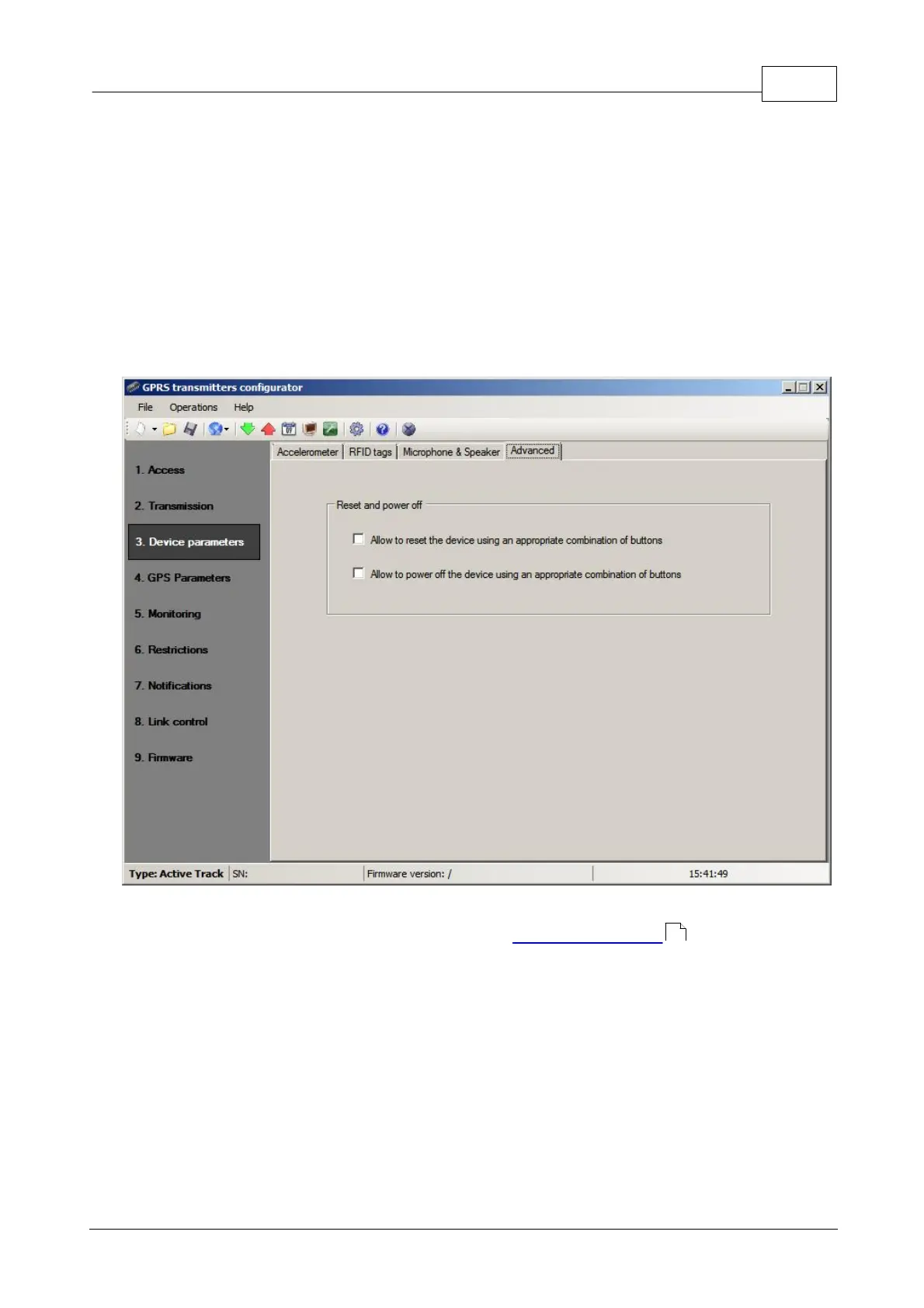
9.2.3.3.4 Advanced
The Advanced tab allows you to add permission to reset and / or turn off the Active
Track device with the appropriate combinations of buttons.
If you select "Allow to..." it is possible to reset the device or turn it off using a
combination of buttons as described in chapter Reset and turn off .
Note:
Manual reset and turning off the device events are recorded and transmitted to
the supervising software after turning the device on and re-establishment of
communication link.
67


 To Next Page