66
Active Track (beta version)
© 2013 EBS
Outgoing voice call
Active Track device is able to establish voice call with programmed telephone
number (parameter: EMERGENCY). After pushing and holding down "Call me"/"Help
me" button Active Track will establish a voice call - just like in cellular phones. To end
a voice call it is necessary to push any button (or wait for end of call initialized by
another side). When making a voice call all functions of Active Track are disabled.
During conversation, talk to microphone and hold loudspeaker close to ear. For
more information on where these parts are located, go to Functions review .
Checking GSM range
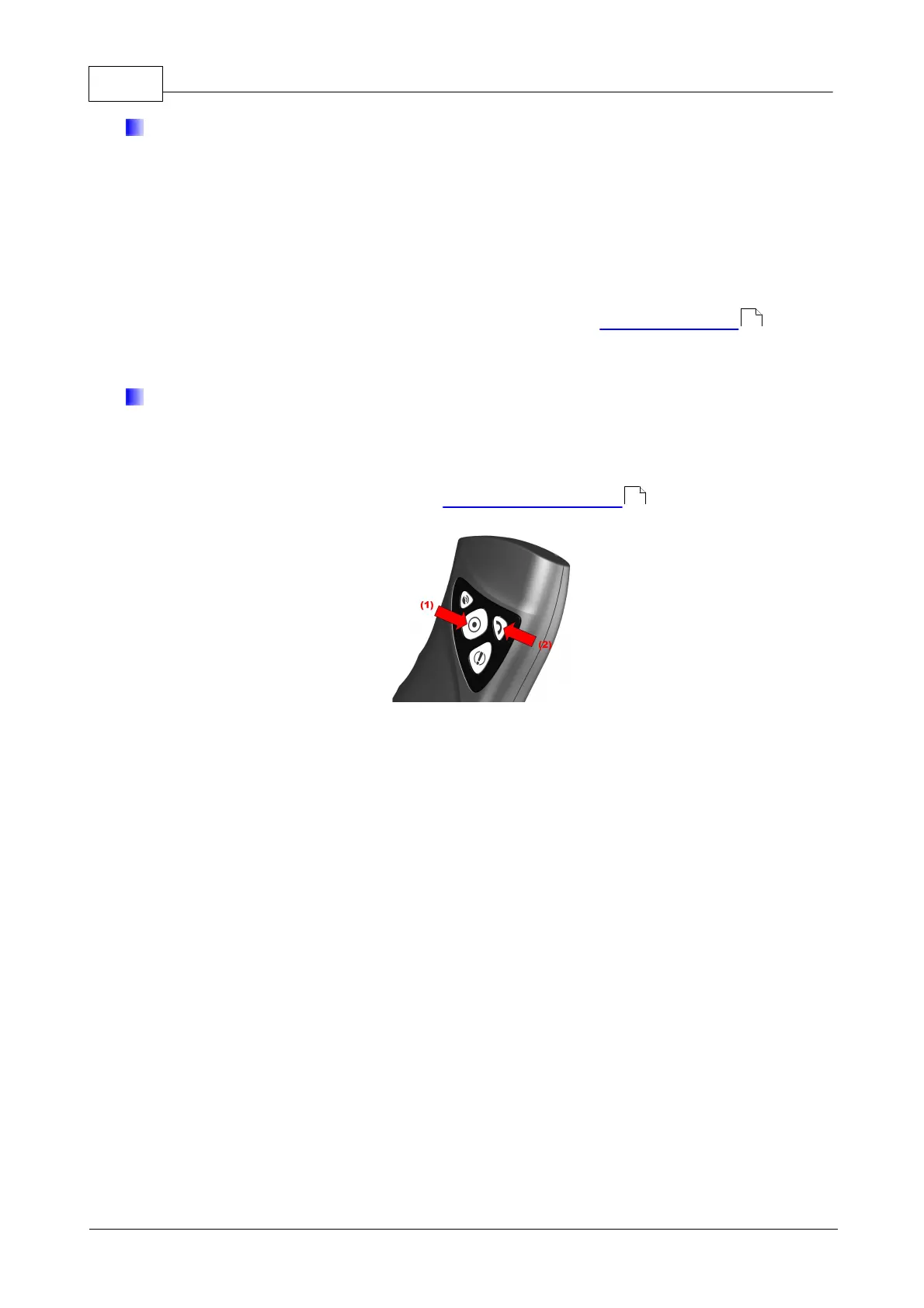
You may check power of your GSM Provider signal at any time by pressing “
Checkpoint” until yellow LED light and then “Call” buttons and power of signal will be
displayed. For more information, go to Indicating work mode .
13
69


 To Next Page