55
Configuration
© 2013 EBS
Next define action that the device shall perform. Select action by marking proper
square next action description:
Modem Reset
Device Reset
In case of no connection with GPRS network the device after recognizing the situation
shall wait during provided time limit and then shall perform programmed actions.
9.2.3.9 Firmware
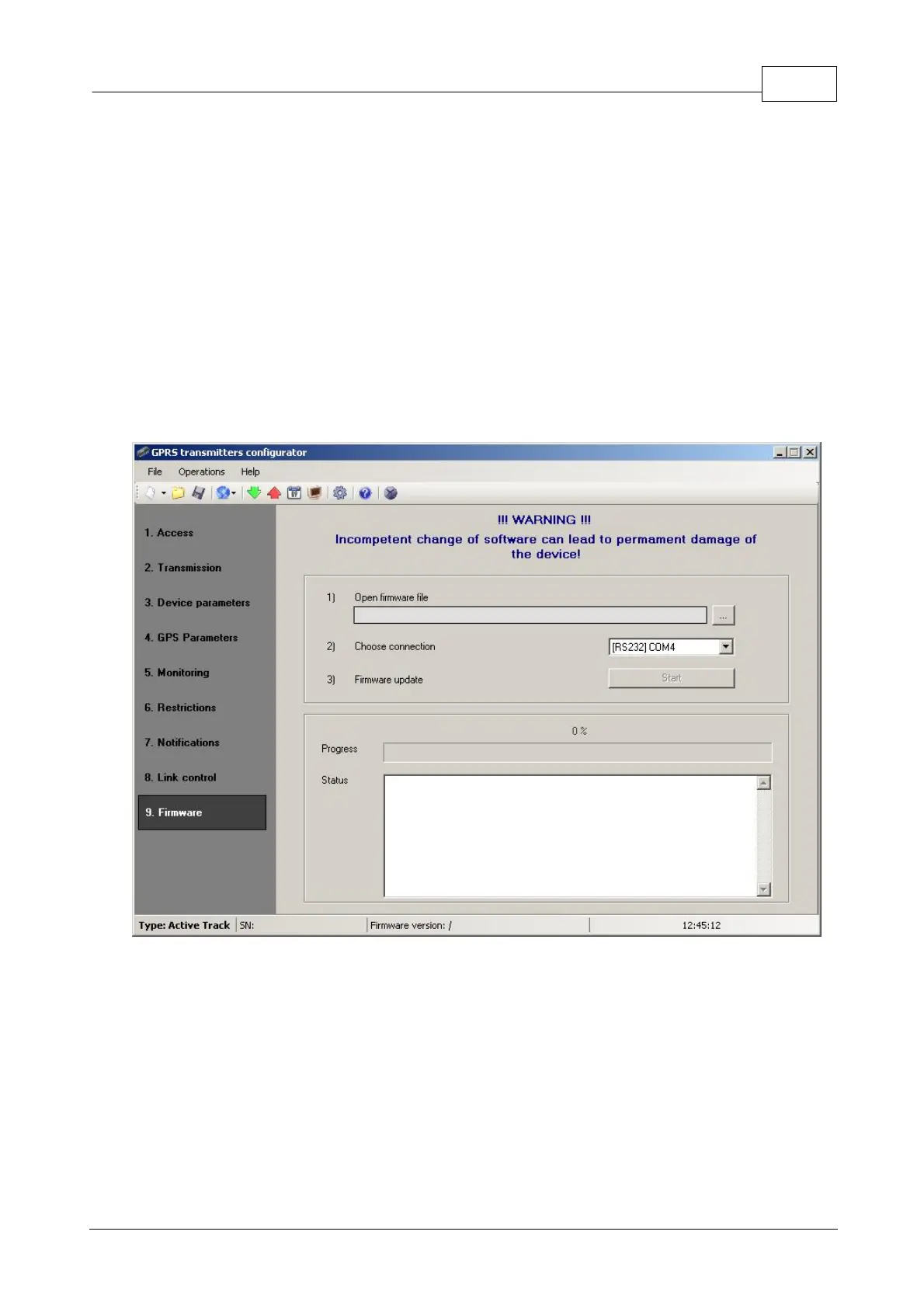
The device is equipped with built in bootloader that allow for updating and change of
firmware. During programming all information is displayed in respect of carried out
operation.
Follow the procedure:
a) Launch configuration program
b) Open “Firmware” option of configuration wizard
c) Open file with new firmware (click [Open] button to locate where file is).
d) Select file transmission mode: local or remote.
Note:
Procedure of assigning firmware to a device is analogous to programming a


 To Next Page