73
Indicating work mode
© 2013 EBS
Note:
similar signaling may be visible after powering-up device. It may last for 3
minutes and it does not mean failure.
SIM card error
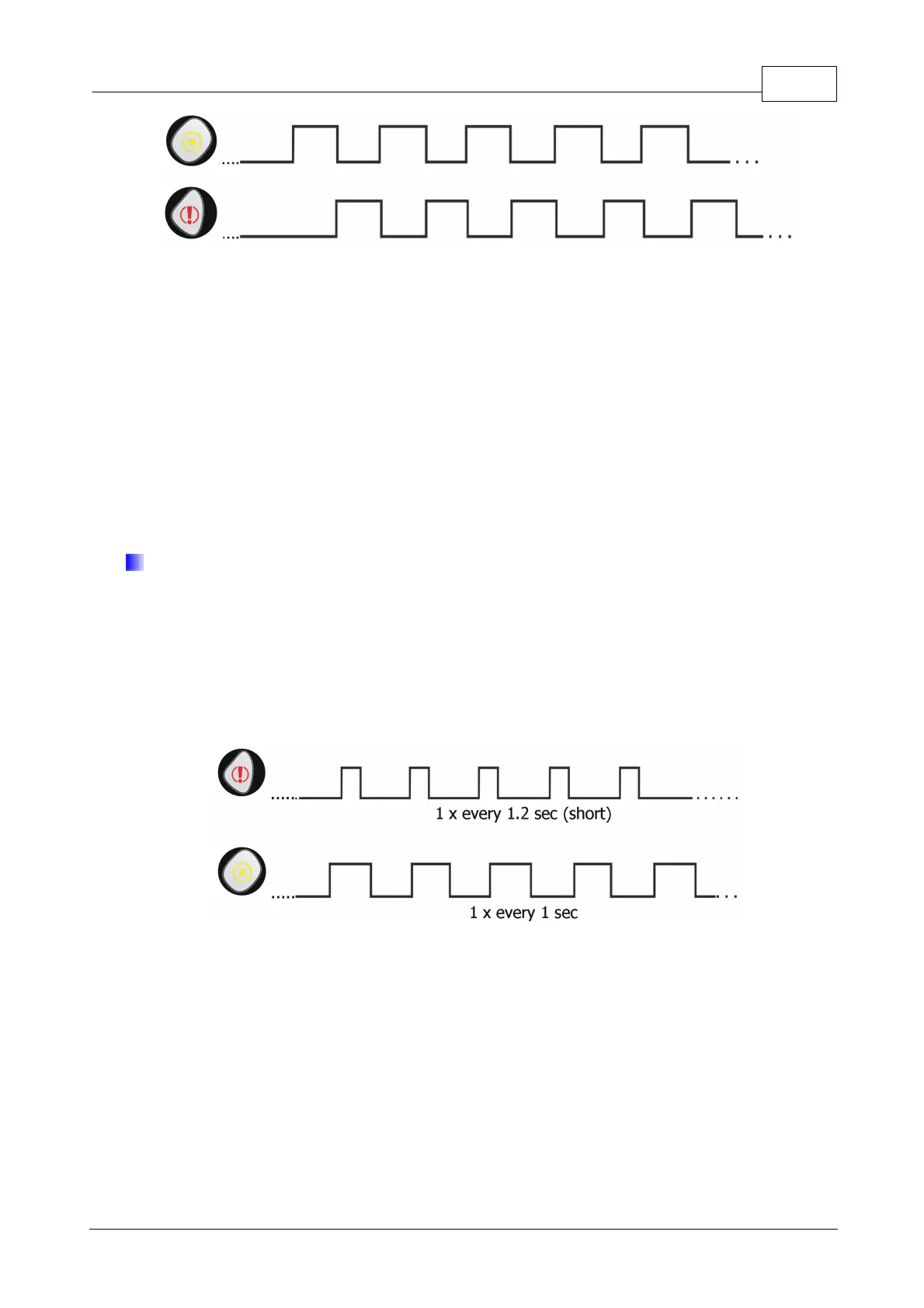
In case of problems with the SIM card the device indicates this fact by blinking
of "Panic" and "Checkpoint" buttons (the "Panic" button will blink slightly less often
and the time of illumination is shorter compared to the blinking of "Checkpoint"
button). In such situation you must verify the SIM card mounting and / or its correct
operation with a mobile phone.


 To Next Page