10
Introduction
2. Features
Several search methods to choose from
(Refer to page 45)
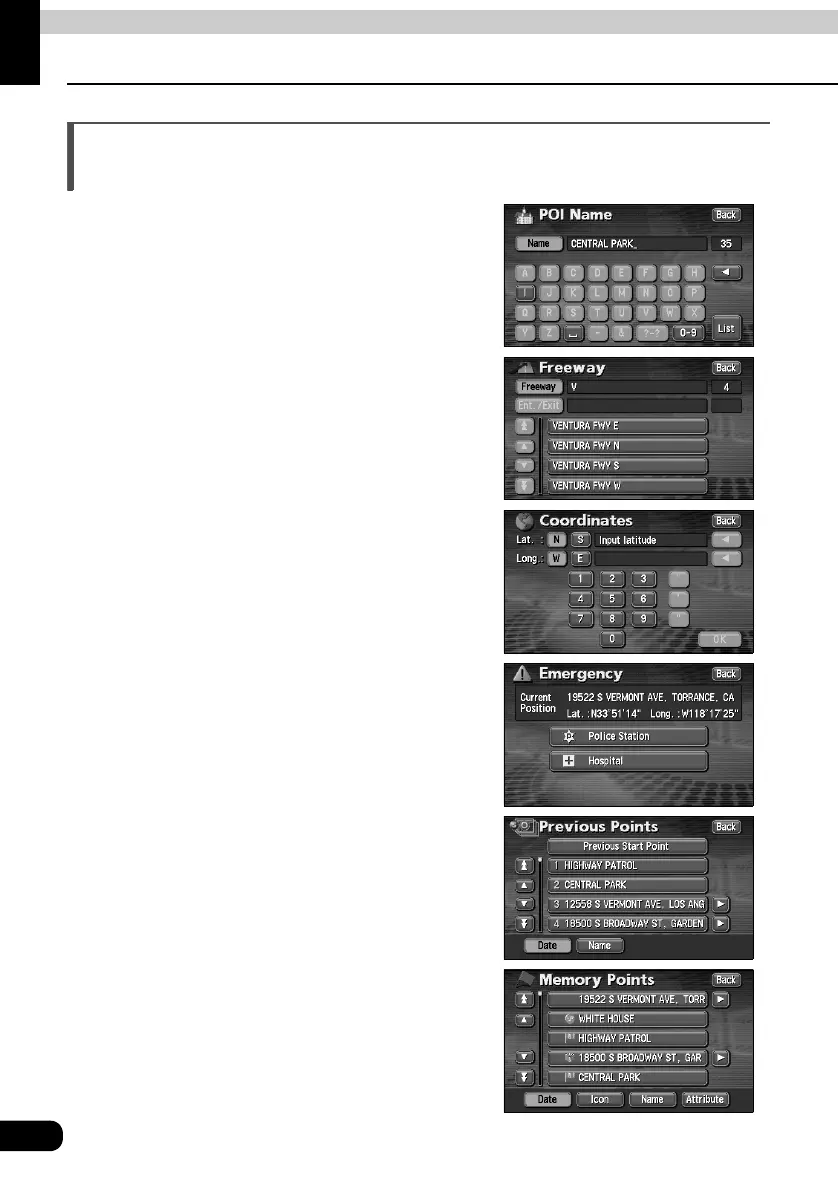
• Search using a POI name (Refer to page 50)
When the name of the POI is known, enter it to
initiate a search. It is also possible to search by
entering only a part of the name.
• Search using a freeway exit/entrance
(Refer to page 59)
A search can be initiated using the name of a
freeway or an exit/entrance
• Search using latitude/longitude coordinates
(Refer to page 60)
A map can be displayed by directly entering
the latitude and longitude coordinates.
• Emergency search (Refer to page 56)
In the event of an emergency, a search can be
initiated for the nearest police station or
hospital.
• Search using the destination archive
(Refer to page 57)
A map can be retrieved using entries previously
set in the destination archive.
• Search using a registered point
(Refer to page 56)
A map can be retrieved using your home or a
point registered in the memory.



 To Next Page