50
4. How to retrieve maps
Basic operation
Retrieving a map using a POI name
A map can be retrieved by entering a partial POI name or by narrowing down from a list of
several POI types, regions, street or city names, etc. Also, a map can be retrieved by
entering the name of an address.
When the number of candidates is low, a map can be selected directly from the list screen.
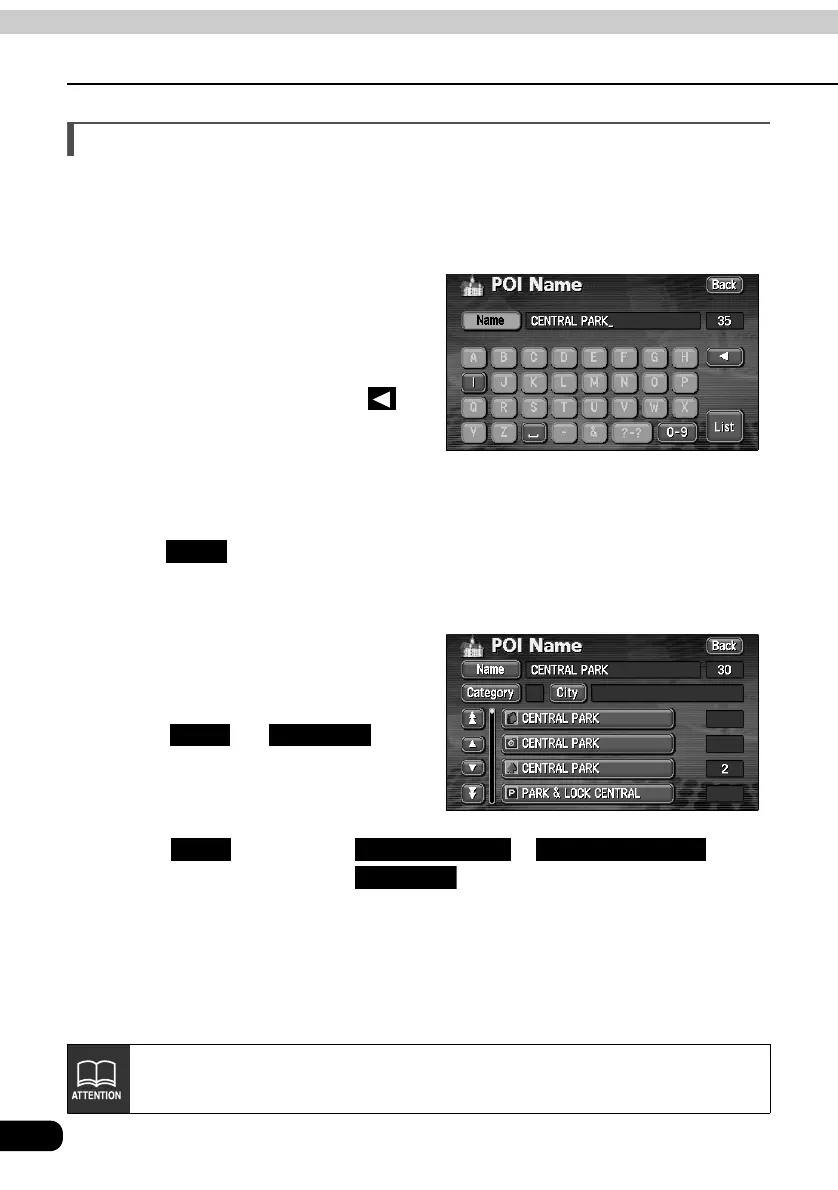
Enter the POI name (or address)
by touching one character at a
time.
• Up to 24 characters can be entered.
• If having made a mistake, touch to
delete one character at a time.
• Lettered touch switches with no
corresponding search result will
appear inverted. Input is not enabled
even if touching them.
Touch .
• A POI list screen containing names searched for from the entered characters is
displayed.
Touch the POI name to be
displayed.
• Narrow down a long list of candidates
using and start
a search after having eliminated items
from the list.
• When indicating the area of the POI to
be displayed in the POI list screen,
touch and then touch or . When
indicating the POI type, touch .
List
City Category
City Nearest 5 cities Input City name
Category
If entering less than 4 search candidates, the list screen will automatically be
displayed.



 To Next Page