25
Basic
operation
Setting the volume
The sound volume during route guidance can be adjusted.
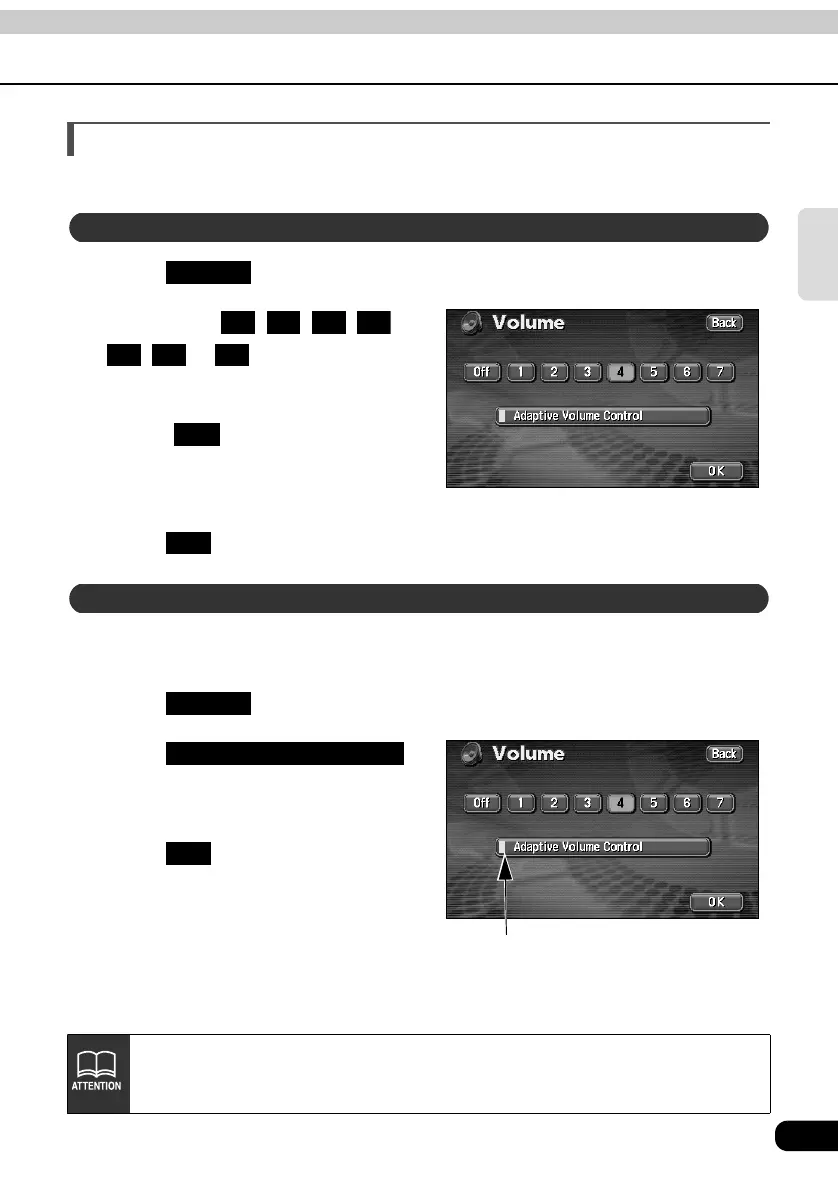
Touch in the MENU screen.
Touch either , , , ,
, or .
• The pressed touch switch will become
green.
• Touch to turn OFF the volume.
When the volume is OFF, touch any of
the volume switches to turn the volume
back ON.
Touch .
When driving at high speeds, the set volume can be automatically raised one level.
Either automatic switch ON (automatically raise) or OFF (not raised) can be selected.
Touch in the MENU screen.
Touch .
• When turned ON, the movement
display light turns yellow.
Touch .
Adjust the volume
Volume
1 2 3 4
5 6 7
Off
OK
Set the automatic highway volume switch function
Volume
Movement display light
Adaptive Volume Control
OK
When exceeding 50 mph (80 km/h), the volume automatically increases one level
and goes back down to its original level when the speed goes down passed 43
mph (70 km/h).



 To Next Page