110
2. Registering, correcting or deleting a memory point
Point registration
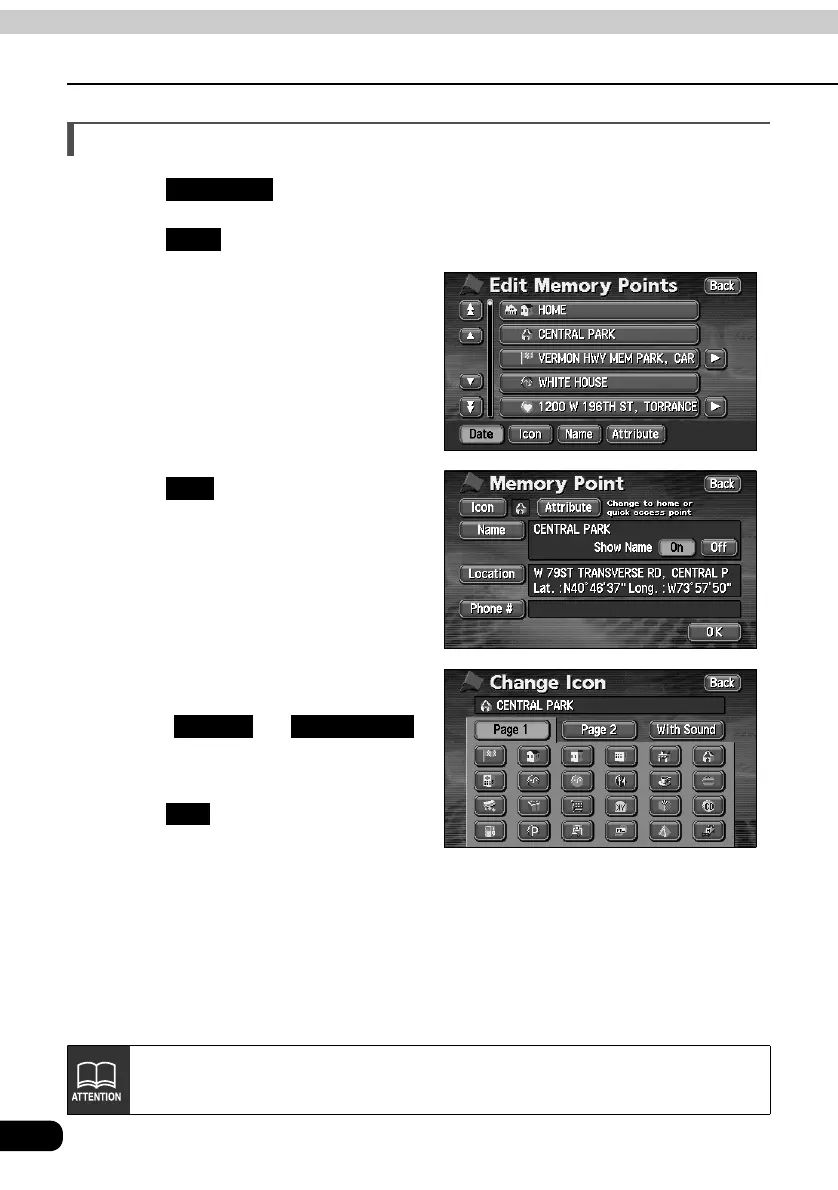
Changing the symbol of the memory point
Touch in the MENU screen.
Touch for Memory Points.
Touch the memory point whose
symbol you want to change.
Touch .
Touch the symbol to be changed.
• Touch and
to select a different symbol.
(Refer to page 106)
Touch .
My Places
Edit
Icon
Page 2 With Sound
OK
The items in memory point list can be sorted by the Date, Icons, Names or
Attributes.



 To Next Page