43
Basic
operation
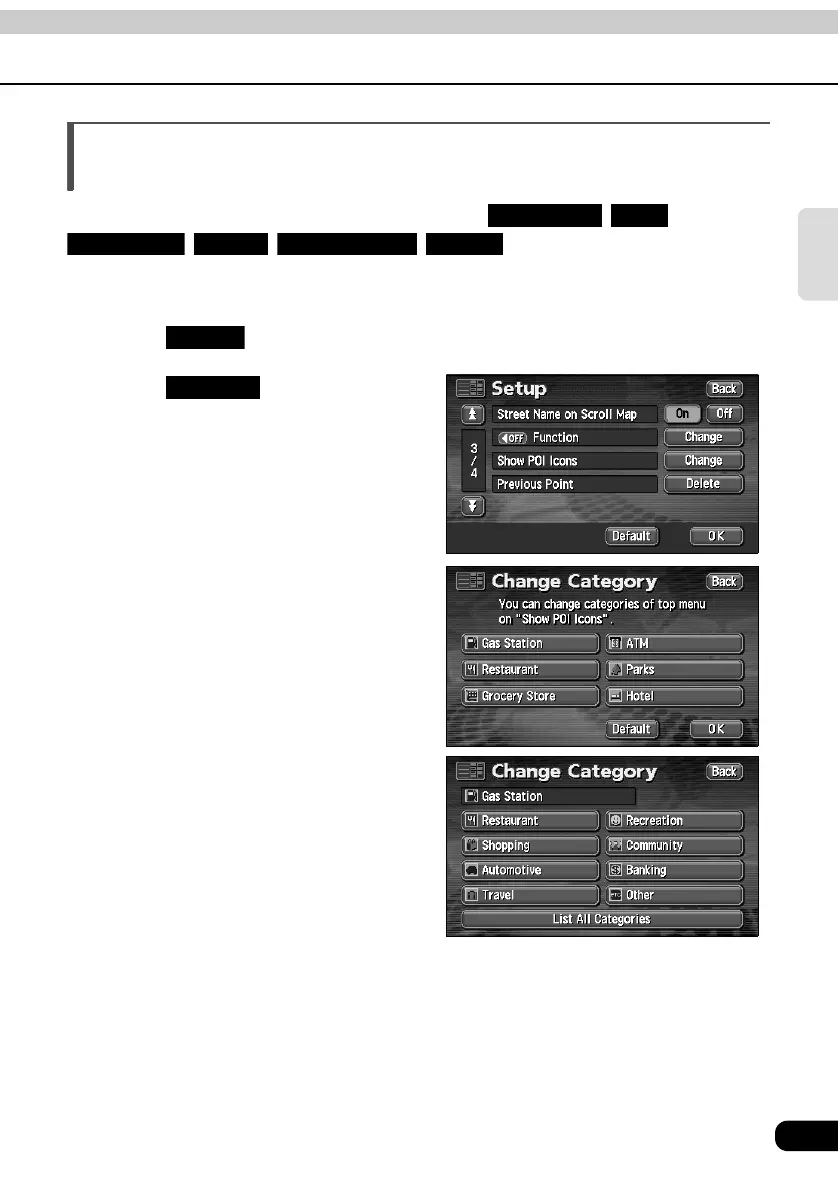
Setting the type of POI vicinity to be retrieved while
driving
The 6 items appearing in the POI vicinity menu screen ( , ,
, , , ) can be set at random.
This POI vicinity menu can be displayed even while driving and POI landmarks can be
displayed on the map screen.
Touch in the MENU screen.
Touch to Show POI
Icons.
Touch the POI type to be changed.
Touch the POI type to be
displayed.
Gas Station ATM
Restaurant Parks Grocery Store Hotel
Setup
Change



 To Next Page