74
Navigation guidance
3. Changing the search result route
After a route search is complete, the route can be changed by adding a destination or transit
road. The following are methods for changing the route.
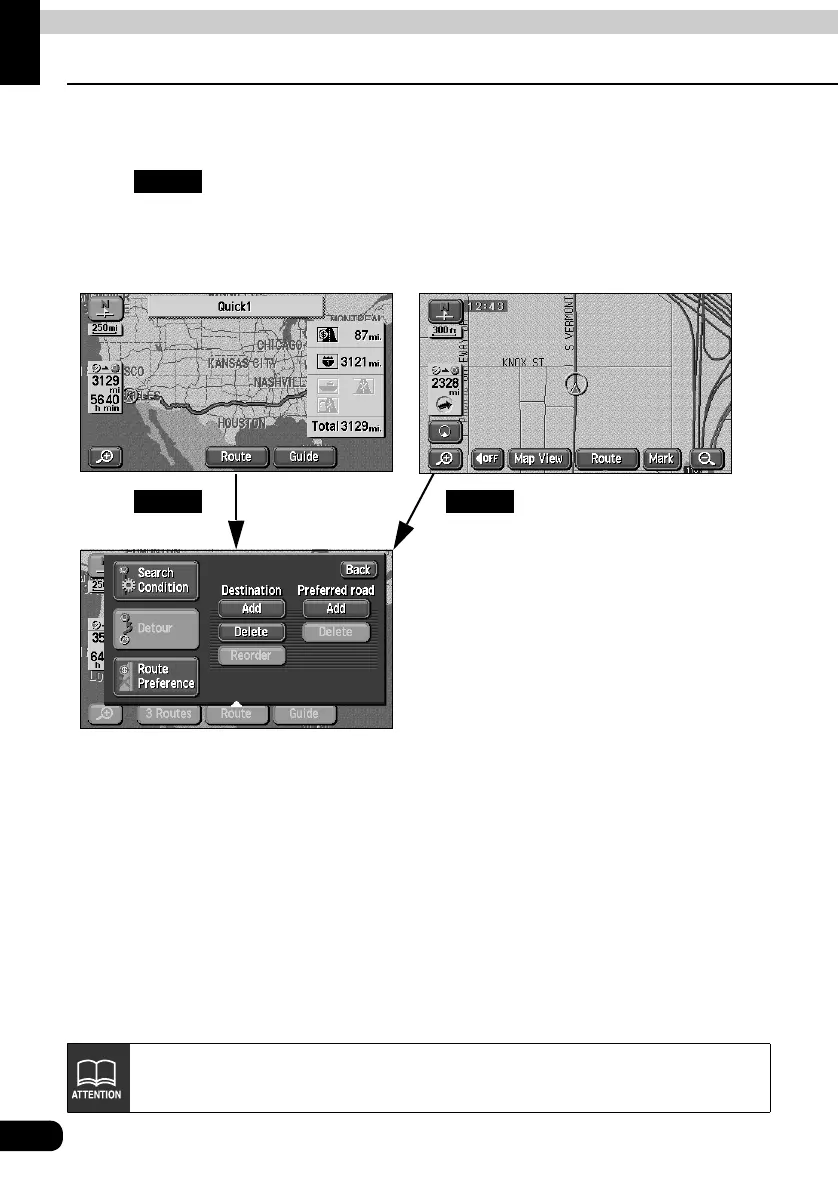
• Touch on the all-route display screen or the present location screen (during route
guidance) to display the route modification screen.
The route modification method is set on the route modification screen.
• Add a destination................................................................................................... Page 75
• Change the search conditions per segment ......................................................... Page 77
• Switch the order of destinations ............................................................................ Page 78
• Delete a destination ............................................................................................... Page 79
• Indicate a transit road............................................................................................ Page 80
• Cancel the transit road indication.......................................................................... Page 81
Route
● All-route display screen ● Present location screen
● Route modification screen
RouteRoute
The operations described here cannot be performed if a destination is not set.



 To Next Page