109
Point
registration
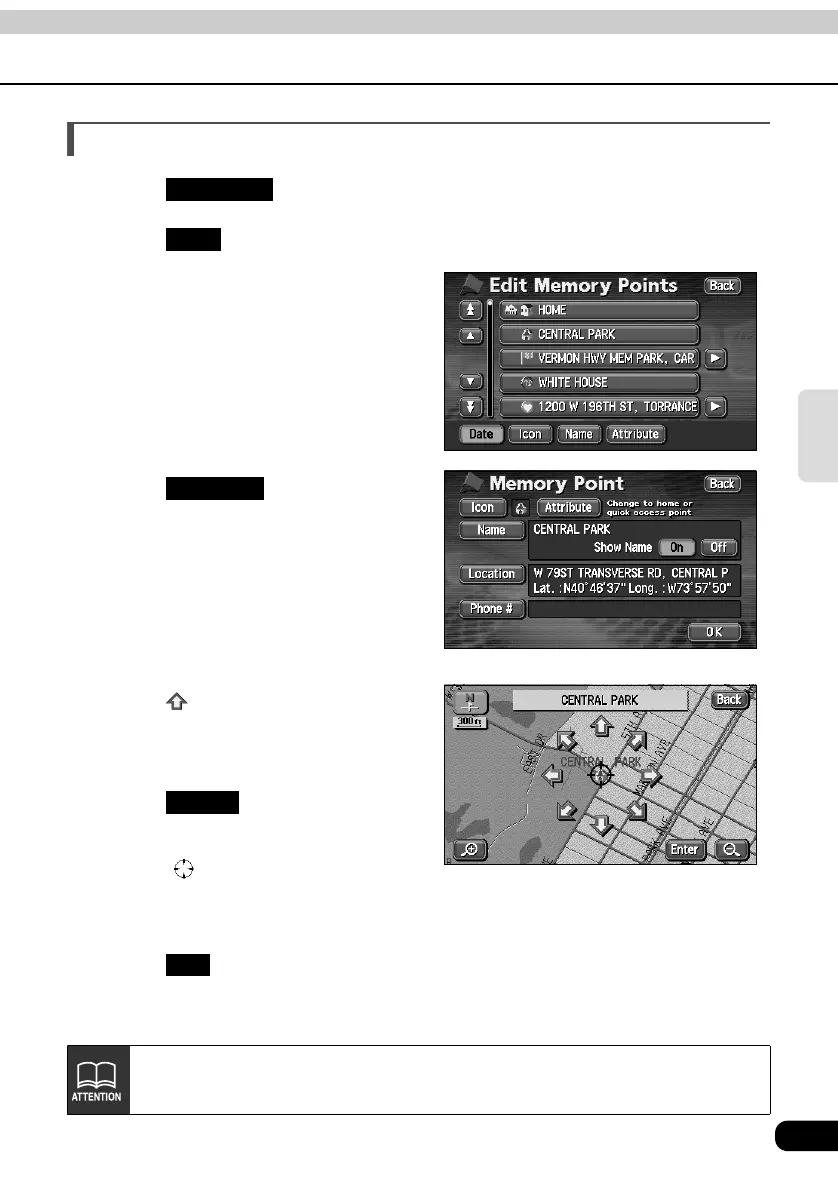
Correcting the position of a memory point
Touch in the MENU screen.
Touch for Memory Points.
Touch the memory point to be
corrected.
Touch .
• A map will appear.
Touch .
• Move the map to the position on which
the memory point is to be corrected.
Touch .
• The symbol displayed in appears
in the position.
• Correct the position and the name of
the position displayed in is also corrected.
Touch .
My Places
Edit
Location
Enter
OK
Maps with a scale of 1 mile or greater detail can be registered.



 To Next Page