Basic operation
45
Basic
operation
4. How to retrieve maps
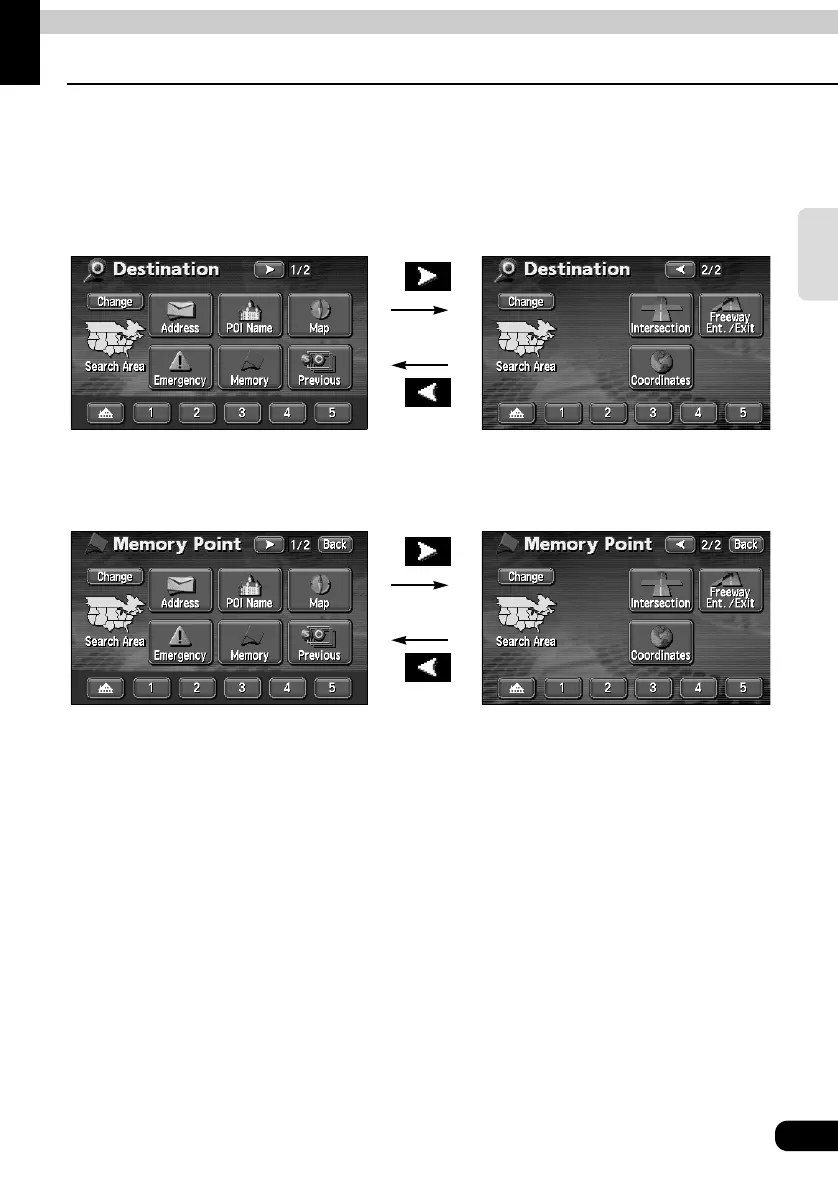
When setting or adding a destination, registering your home, memory points, special memory
points or detour memory points, maps corresponding to these setting and registration points
can be retrieved using various methods.
For procedures on how to select a map retrieval method, see the corresponding page for
each item below.
The screens above are examples of screens when setting a destination and when registering
a memory point.
Touch the map retrieval method on the displayed MENU screen to select an item.
● When setting a destination
● Setting a destination
(Refer to page 64)
● Add a destination (Refer to page 75)
● When registering a memory point
● Registering your home
(Refer to page 101)
● Registering memory points
(Refer to page 105)
● Registering special memory points
(Refer to page 115)
● Registering detour memory points
(Refer to page 119)



 To Next Page