116
3. Registering, correcting or deleting a special memory point
Point registration
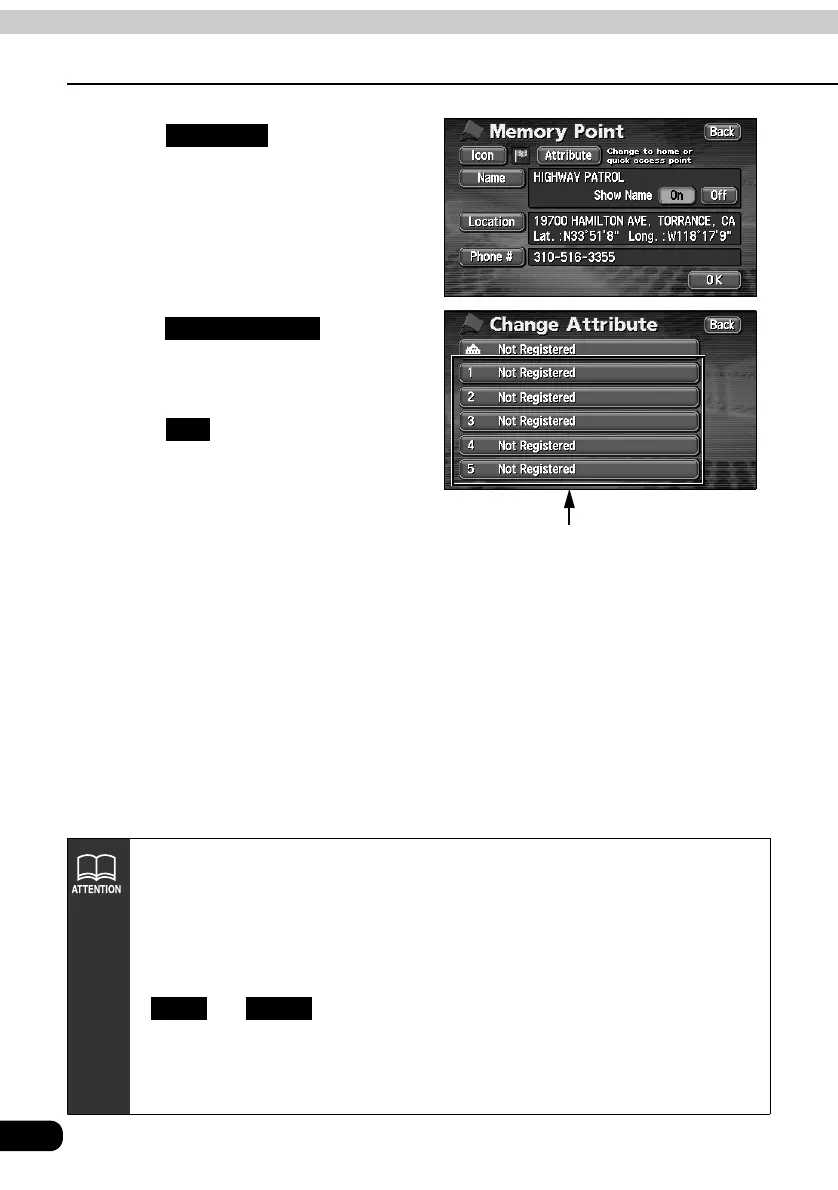
Touch .
Touch for the
special memory point (1 to 5).
Touch .
Attribute
Touch switches for
special memory point
(1 to 5)
Not Registered
OK
• Maps with a scale of 1 mile or greater detail can be registered.
• Depending on the location, the address displayed for the special memory point
may include a name of a neighboring area.
• A neighboring name or address will be displayed for the registered special
memory point.
• Depending on the location of the registered point and the map retrieval method,
the name and telephone number may be entered simultaneously.
• and will appear only when a memory point is already
registered.
• Select an already registered telephone number and touch it to display a deletion
screen for the special memory point corresponding to that selected telephone
number.
Edit Delete



 To Next Page