Installation
8/05 UDC2500 Universal Digital Limit ControllerProduct Manual 15
Mounting Method
Before mounting the controller, refer to the nameplate on the outside of the case and
make a note of the model number. It will help later when selecting the proper wiring
configuration.
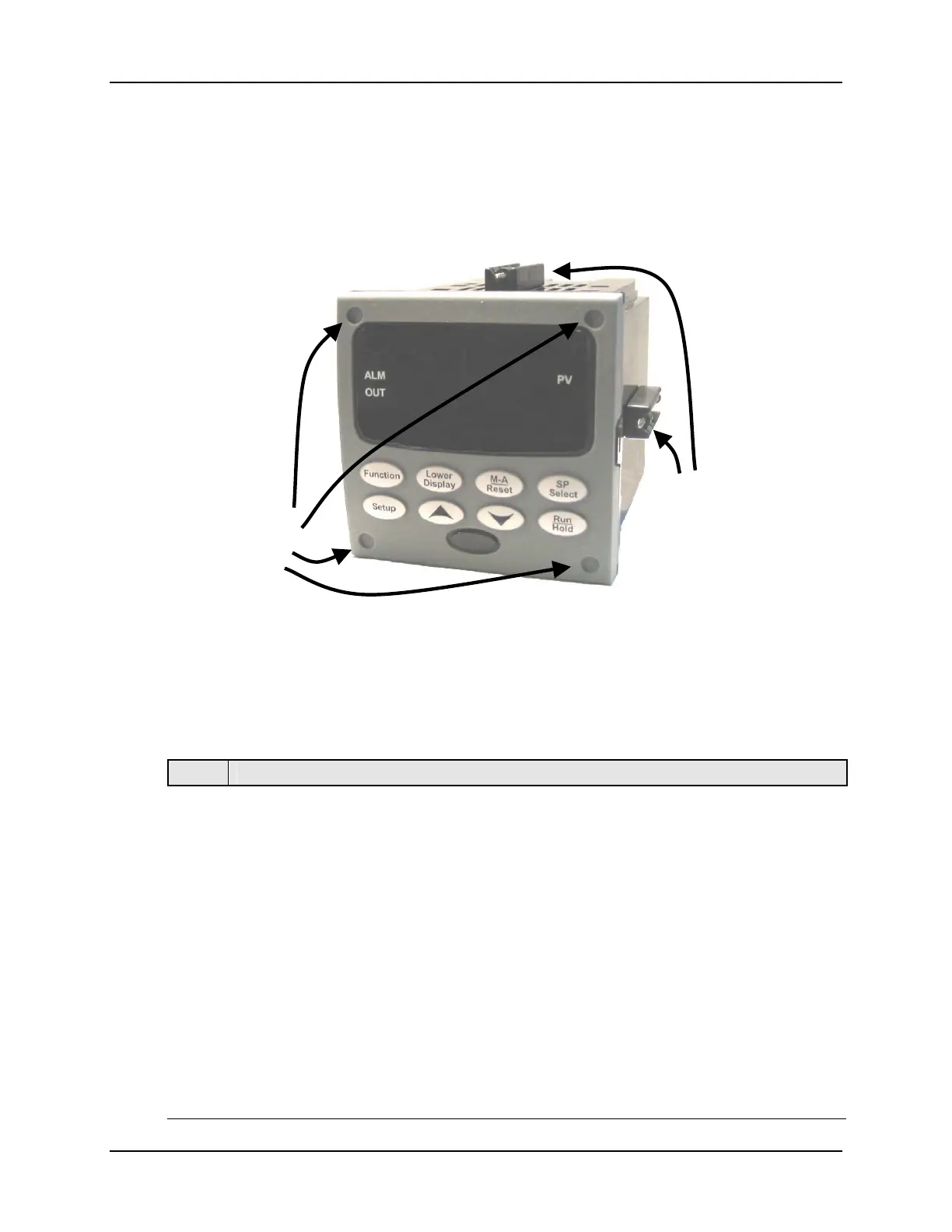
Figure 2-3 Mounting Method
Mounting Procedure
Table 2-4 Mounting Procedure
Step Action
1
Mark and cut out the controller hole in the panel according to the dimension
information in Figure 2-2.
2
Orient the case properly and slide it through the panel hole from the front.
3
Remove the mounting kit from the shipping container and install the kit as follows:
• For normal installation two mounting clips are required. Insert the prongs of the
clips into the two holes in the top and bottom center of the case (Figure 2-3).
• For water-protected installation four mounting clips are required. There are two
options of where to install the mounting clips: 1) Insert the prongs of the clips into
the two holes on the left and right side of the top and bottom of the case or 2) on
the center on each of the four sides (Figure 2-3).
• Tighten screws to 2 lb-inch (22 N•cm) to secure the case against the panel.
CAUTION: Over tightening will cause distortion and the unit may not seal properly.
4
For water-protected installations, install four screws with washers into the four
recessed areas in the corners of the bezel (Figure 2-3). Push the point of the screw
through the center piercing the elastomeric material and then tighten screws to 5 lb-in
(56 N•cm).
Attach screws and
washers here for
water protection
ounting Clips



 To Next Page