EN_
810G20 - Version V5 – Juillet 2020 P. 66
Traduction de la notice originale
From the >> ECS OPERATION << menu, select 2.
The screen displays the maximum amount that can be added to the tank.
Enter the quantity of refrigerant to be transferred, then press ENTER to
confirm.
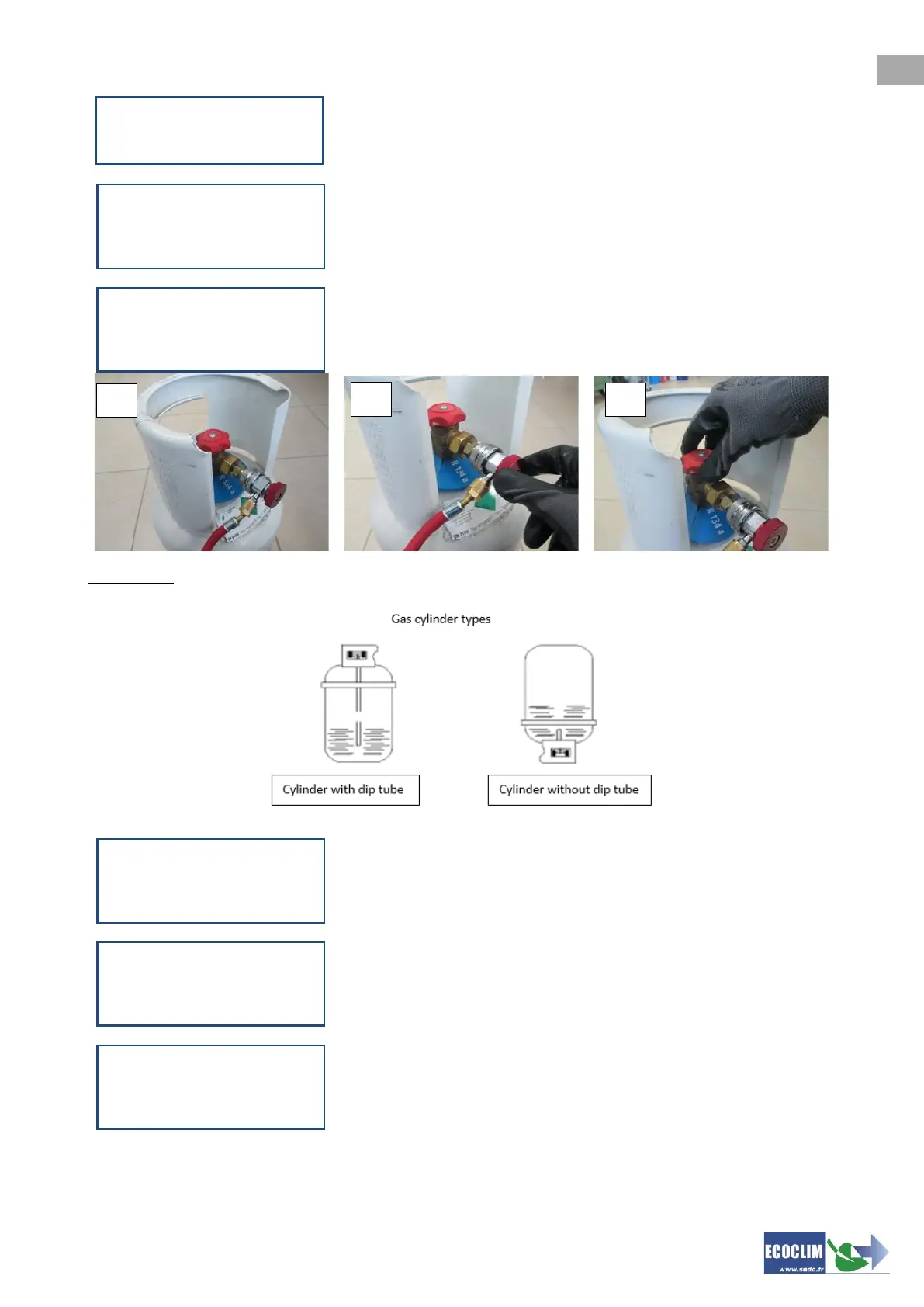
(1) Connect the HP hose to the refrigerant gas cylinder.
(2) Screw the HP coupler cap.
(3) Open the refrigerant gas cylinder valve.
Press ENTER to confirm.
Important: If gas cylinder is not equipped with dip tube, turn cylinder upside down will make transfer
easier.
The unit performs an initialisation stage and stabilises the scale before
starting the transfer.
The unit displays the quantity transferred throughout the cycle.
If the refrigerant cylinder is empty before having transferred the required
amount, the unit displays this message.
>> ECS OPERATION <<
1.New operation
2.Refrig transfer
REFRIGERANT TRANSFER
Qty to transfer
Maximum:
1200 g
REFRIGERANT TRANSFER
>Connect HP hose
>Open cylinder valve
1200 g ENTER
REFRIGERANT TRANSFER
Scale initialization
Stabilization
1200 g ENTER
REFRIGERANT TRANSFER
Please wait...
4.8 bar 648 g
Tank 10.2 bar
REFRIGERANT TRANSFER
Cylinder empty
-0.28 bar 942 g
Tank 11.3 bar ENTER



 To Next Page