5 Configuring System
ED-HMI2120-101C User Manual 5-2
5.1 Finding Device IP
In some application scenarios, it is necessary to remotely log in or manage devices, so it is necessary
to obtain the device IP.
5.1.1 Query IP by Using ifconfig Command
After the device is started normally and the display is connected, you can use the ifconfig command
to view the current device IP.
Preparation:
ED-HMI2120-101C has been connected to the network through the router.
Steps:
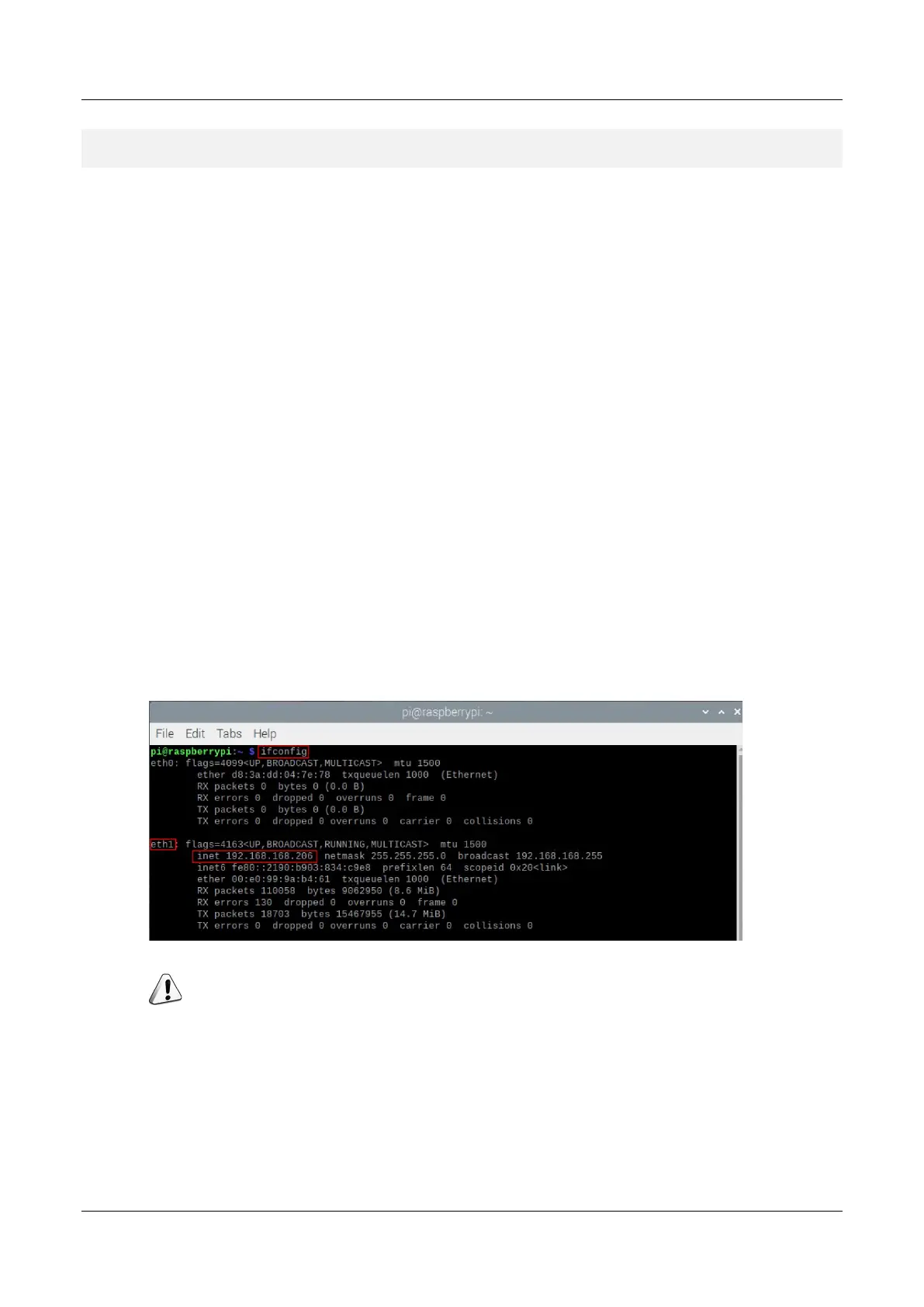
Run the following command in the command pane to view the detailed information of each port
of the device, where the inet value in the eth1 interface is the device IP, as shown in the following
figure.
ifconfig
NOTE:
If the two Ethernet ports of ED-HMI2120-101C are all connected to Ethernet, the two IP addresses found
are all device IP addresses.
5.1.2 Login Router to Query IP
When the device starts normally but the display is not connected, you can log in to the router to check



 To Next Page