5 Configuring System
ED-HMI2120-101C User Manual 5-41
Parameters Description
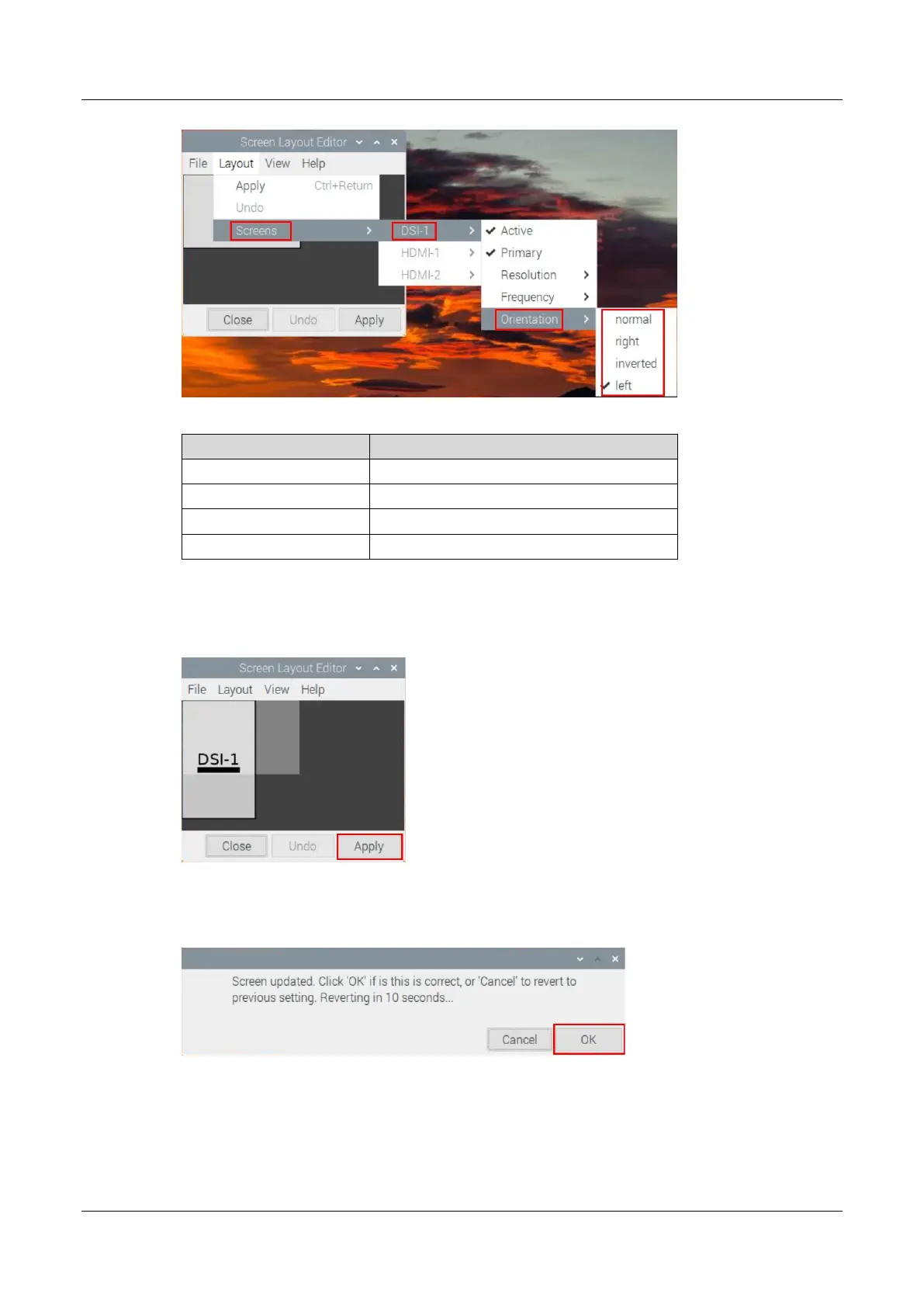
normal Rotate 0°
left Rotate -90°
right
Rotate 90°
inverted
Rotate 180°
3. When you have finished the parameter setting, it will return to main menu of Screen Layout
Editor. Then, you need click "Apply".
4. You can click "OK" in the pop-up prompt box to make settings take effect.
5.13.2 Adjusting Brightness
You can manually adjust the brightness of LCD screen.



 To Next Page