5 Configuring System
ED-HMI2120-101C User Manual 5-37
5.11.2 Configuring Record
It supports the audio recording of MIC input.
Preparation:
The audio interface has been connected to MIC.
Steps:
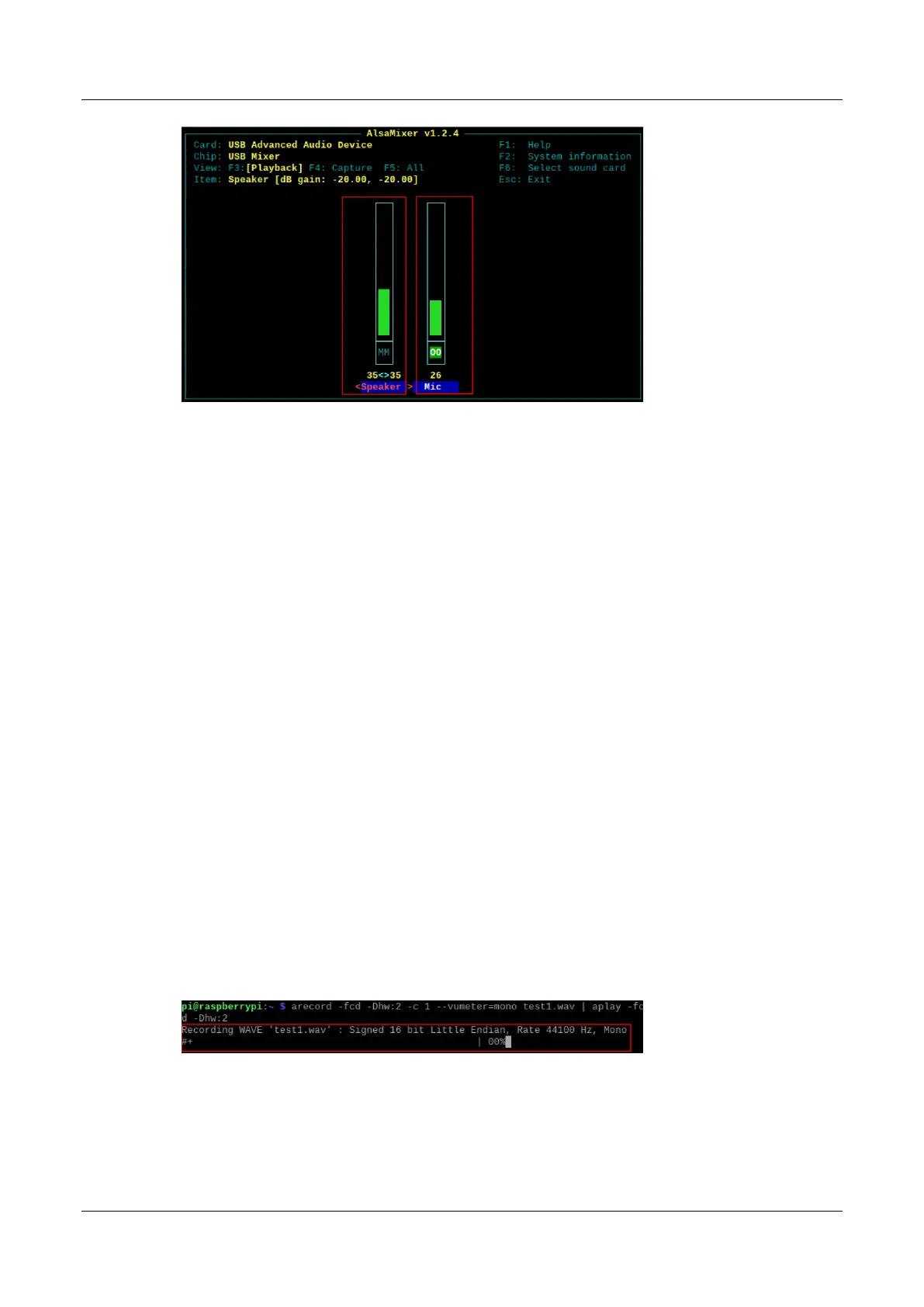
1. Execute the following command to open the volume adjustment interface.
alsamixer
2. Press F6 to open the "Sound Card" interface, select "2 USB Advanced Audio Device", and
press Enter to open the volume adjustment interface of MIC and Speaker to ensure that MIC
is not muted.
3. Press Esc to exit to the command pane, execute the following command to start recording
audio named test1.wav, as shown in the figure below.
arecord -fcd -Dhw:2 -c 1 --vumeter=mono test1.wav | aplay -fcd -Dhw:2



 To Next Page