5 Configuring System
ED-HMI2120-101C User Manual 5-36
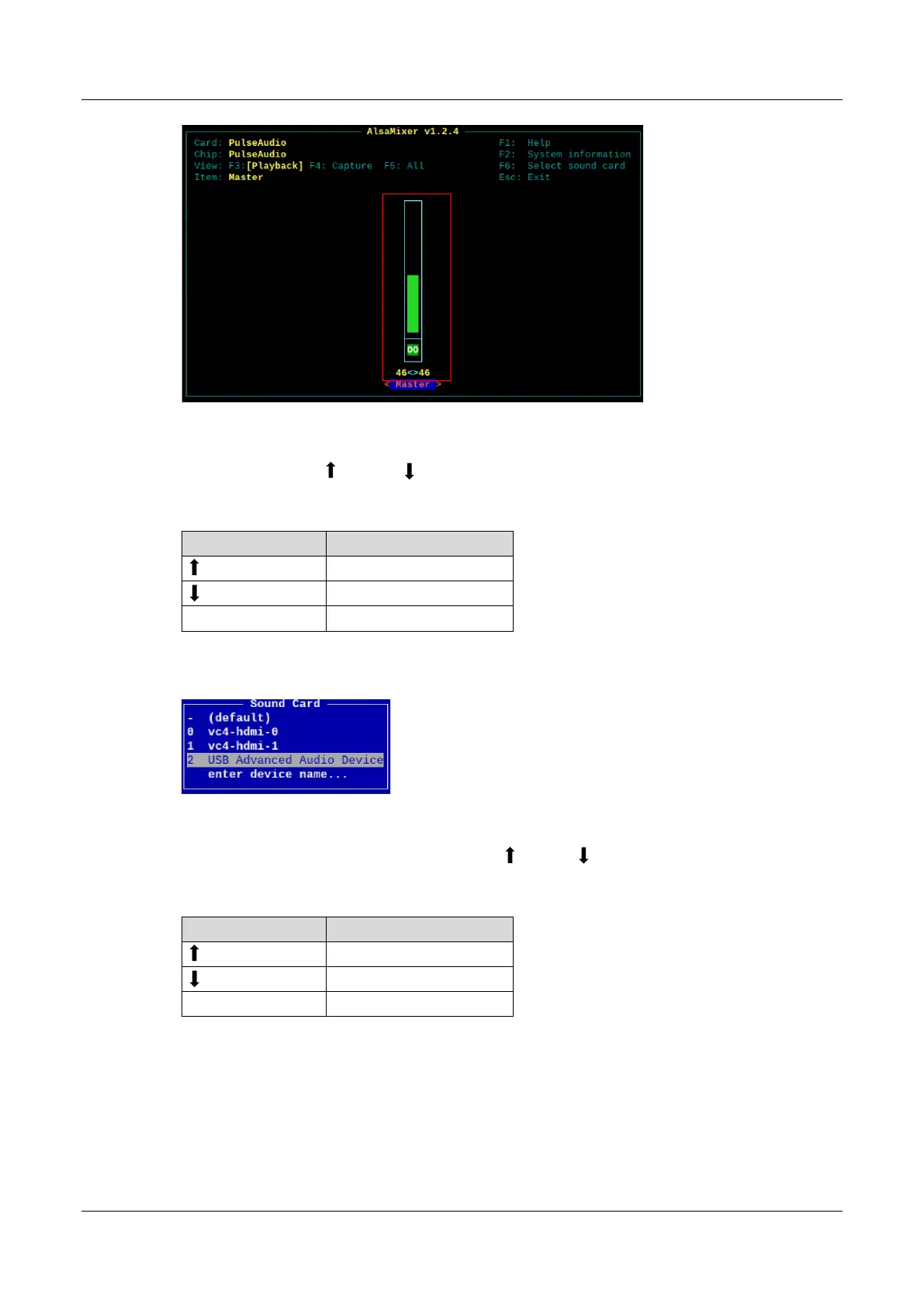
2. View the volume value of the current Master in the opened interface. You can adjust the
volume through the key and key on the keyboard, and press the M key to mute and
unmute the audio.
Keyboard Key Function
Volume+
Volume-
M Mute or Unmute
3. Press F6 to open "Sound Card" interface, select "2 USB Advanced Audio Device".
4. Press Enter to open the volume interface of MIC and Speaker, and you can adjust the volume
of MIC and Speaker respectively through the key and key on the keyboard, and press M
to mute and unmute MIC/Speaker.
Keyboard Key Function
Volume+
Volume-
M Mute or Unmute



 To Next Page