5 Configuring System
ED-HMI2120-101C User Manual 5-7
5.2.2 Connecting To The Device Desktop Through VNC
If the device uses Desktop system, you can choose to connect to the device remotely through VNC
to configure or debug it.
Preparation:
The RealVNC Viewer tool has been installed on PC.
ED-HMI2120-101C has been connected to the network through the router.
IP address of ED-HMI2120-101C has been get.
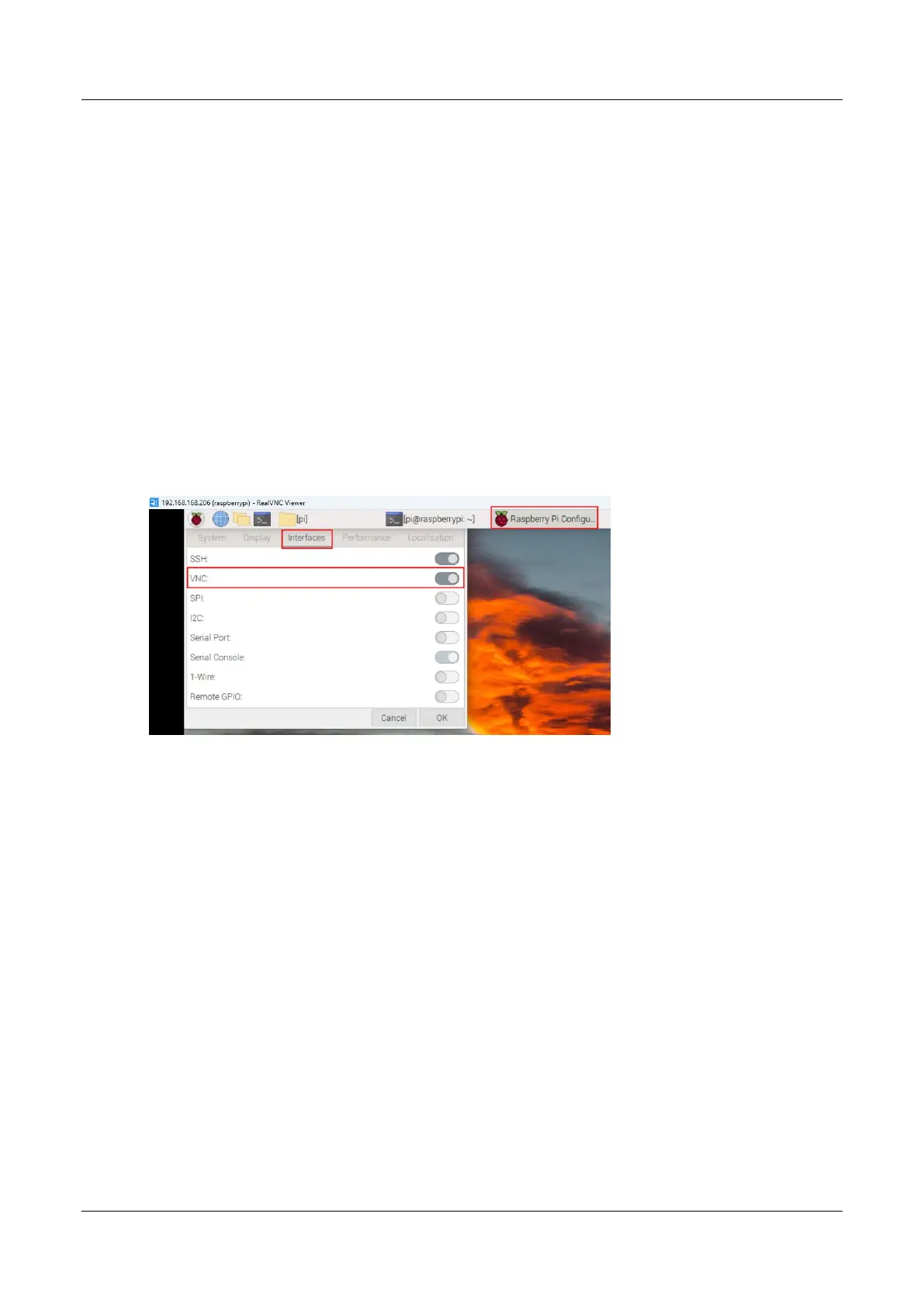
The VNC function in the ED-HMI2120-101C system has been turned on, as shown in the
following figure.
Steps:
1. Open RealVNC Viewer and select "New connection…" in the File in the menu bar to open
the window for creating a connection, as shown in the following figure.



 To Next Page